
Managing multiple brands on Quuu isn’t complex. You’ll add each brand separately, customise its persona, and configure unique content preferences.
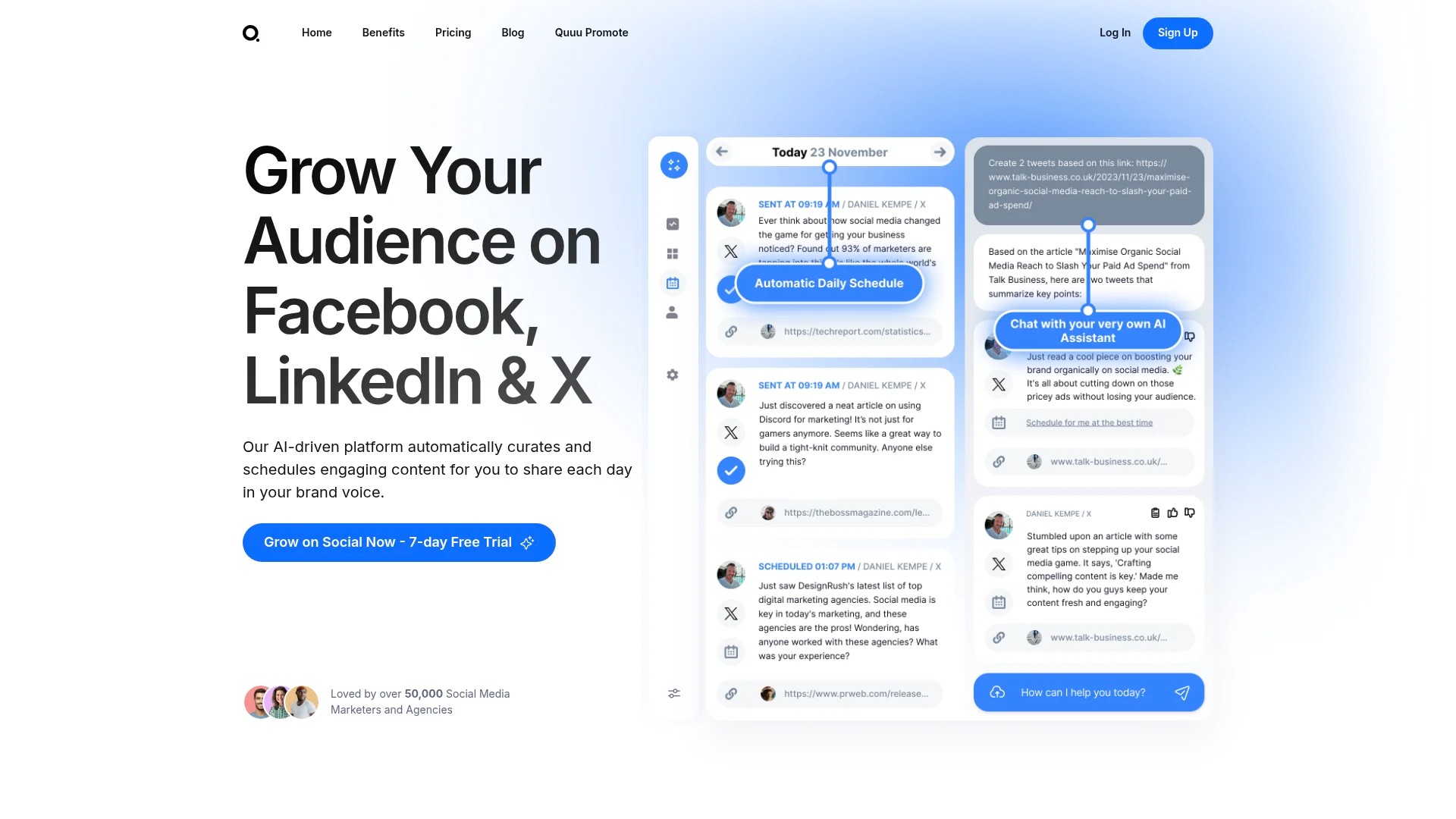
This process takes about 10 minutes per brand. You’ll maintain distinct brand voices across all platforms.
Multi-brand agencies juggle different client identities daily. Each brand needs its own content strategy, voice, and posting schedule.
Quuu simplifies this through its structured approach to brand management. You can add unlimited brands, each with independent social profiles and content preferences.
The platform supports Facebook, LinkedIn, and X (formerly Twitter). You’ll manage everything from a single dashboard whilst maintaining brand separation.
This guide walks through the complete setup process. You’ll learn how to add brands, configure profiles, customise personas, and manage content curation for multiple clients simultaneously.
Understanding Quuu’s Multi-Brand Architecture
Quuu organises your account hierarchically. Brands sit at the top level, with social profiles nested underneath.
This structure mirrors how agencies work with clients. Each brand represents a separate client or business unit.
The Brand Layer
Every brand in Quuu functions as an independent entity. It holds its own content preferences, brand persona, and voice settings.
Think of brands as containers for client identities. You might manage a coffee shop, a consulting firm, and a fitness brand simultaneously.
Each brand maintains complete separation from others. Content selected for one brand never appears in another brand’s queue.
The Profile Layer
Underneath each brand, you’ll add social media profiles. These connect to your actual Facebook pages, LinkedIn company pages, or X accounts.
One brand can have multiple profiles. A retail client might want content on Facebook and Instagram, whilst a B2B client focuses on LinkedIn and X.
Each profile inherits the brand’s persona and content preferences. You can then adjust scheduling independently per profile.
This architecture scales naturally. Add new clients as brands, connect their social accounts as profiles, and customise each brand’s content approach.
Adding Your First Brand to Quuu
Starting with a new brand takes just a few steps. You’ll name it, configure basic settings, and establish the foundation for content curation.
Creating the Brand
Navigate to your Quuu dashboard. Look for the “Add New Brand” button in the top-right corner or brands section.
Click this button to open the brand creation form. You’ll enter the brand name exactly as you want it displayed throughout Quuu.
Choose a descriptive name that matches the client. Using “Acme Coffee Co” works better than “Client 3” for future reference.
The system creates a new brand container. This becomes the home for all related profiles and settings.
Initial Configuration
After creating the brand, you’ll land on its settings page. This is where brand-specific customisation begins.
Start with the brand persona section. You’ll define voice, tone, and content preferences that guide Quuu’s AI-driven curation.
Don’t worry about perfecting these settings immediately. You can refine them as you learn more about the brand’s content needs.
The key is establishing a distinct identity. Each brand should feel different from your other clients.
Adding Social Profiles Under Each Brand
Once your brand exists, you’ll connect its social media accounts. This process varies slightly by platform but follows the same basic pattern.
Connecting Facebook Profiles
Select “Add Profile” within your brand settings. Choose Facebook from the platform options.
Quuu will prompt you to authenticate with Facebook. You’ll need admin access to the pages you’re connecting.
After authentication, select which Facebook page to link. If you manage multiple pages, you’ll repeat this process for each one.
The profile appears in your brand’s profile list. You can now configure posting schedules and preferences specific to this Facebook page.
Linking LinkedIn Accounts
LinkedIn profiles follow a similar process. Click “Add Profile” and select LinkedIn from the platform menu.
You’ll authenticate through LinkedIn’s OAuth system. Make sure you have administrator rights to the company page you’re linking.
Select the specific company page from your available options. Quuu establishes the connection and adds the profile to your brand.
LinkedIn profiles work particularly well for B2B brands. The content curation focuses on professional, industry-relevant articles.
Setting Up X (Twitter) Profiles
For X profiles, the process mirrors other platforms. Choose “Add Profile” and select X from the available options.
Authenticate using X’s authorisation flow. You’ll need access credentials for the account you’re connecting.
Once connected, the X profile joins your brand’s profile collection. You can configure posting frequency and timing independently.
X profiles benefit from more frequent posting. The platform’s fast-moving nature suits multiple daily posts better than Facebook or LinkedIn.
Managing Multiple Profiles per Brand
Most brands need content on several platforms. A typical setup might include Facebook, LinkedIn, and X all under one brand.
Each profile operates independently for scheduling purposes. Your Facebook page might post twice daily whilst LinkedIn publishes once per day.
The brand persona and content preferences apply universally. This ensures consistent voice whilst allowing platform-specific scheduling flexibility.
You can add new profiles anytime. As your client expands to new platforms, simply connect additional accounts under the existing brand.
Customising Brand Personas for Each Client
Brand persona customisation separates excellent content curation from generic sharing. This is where Quuu learns what makes each brand unique.
Defining Brand Voice
Brand voice describes how your client communicates. Is it professional and authoritative? Casual and friendly? Technical and detailed?
In Quuu’s brand persona settings, you’ll specify these voice characteristics. Use descriptive terms that capture the brand’s communication style.
Consider how the brand speaks on its own website. Match that tone in your voice description.
The AI uses these voice parameters when selecting content. Articles that match the specified voice receive priority in curation.
Setting Content Tone
Tone differs from voice. It reflects the emotional quality and approach to subject matter.
Some brands need educational, informative tones. Others thrive on inspirational, motivational content.
Tech startups might prefer forward-thinking, cutting-edge tones. Established professional services firms often want trustworthy, reliable tones.
Specify the tone that resonates with each brand’s audience. This guides Quuu towards content that feels right for the brand.
Identifying Target Audience
Who does this brand serve? Audience understanding shapes content selection dramatically.
Describe the target audience in specific terms. “Marketing managers at mid-sized B2B companies” works better than “business people.”
Include demographic details when relevant. Age ranges, industries, and professional roles all help Quuu understand the audience.
Content that resonates with the target audience appears more frequently. Generic articles that miss the mark get filtered out.
Creating Distinct Brand Identities
The persona customisation ensures each brand feels different. Your coffee shop client shouldn’t share the same content as your accounting firm client.
Spend time refining these settings. Well-defined personas lead to better content curation and higher engagement.
Review and adjust personas quarterly. As you learn more about what content performs, update the brand voice and tone accordingly.
This iterative approach improves content quality over time. Your curation becomes increasingly aligned with each brand’s true identity.
Configuring Categories and Topics per Brand
Categories and topics form the foundation of content curation. They tell Quuu which subject areas interest each brand.
Understanding Quuu’s Category System
Quuu organises content into broad categories. These include Technology, Marketing, Business, Health, Lifestyle, and many others.
Each brand should select relevant categories. A fitness brand might choose Health, Lifestyle, and Nutrition.
Categories act as the first filter. Quuu only considers content from your selected categories when building your curation queue.
Most brands benefit from 3-5 categories. More than that dilutes focus, whilst fewer limits content variety.
Selecting Specific Topics
Within each category, you’ll find specific topics. These provide granular control over content selection.
Under the Marketing category, you might select topics like Social Media Strategy, Content Marketing, or Email Marketing.
Choose topics that align closely with the brand’s expertise and audience interests. Relevance drives engagement.
You can select multiple topics per category. This creates a rich content pool whilst maintaining topical focus.
Balancing Breadth and Focus
Finding the right topic selection takes experimentation. Too few topics limits content availability.
Too many topics dilutes brand focus. Content becomes scattered across unrelated subjects.
Start with 5-8 topics per brand. Monitor which content performs best, then adjust your topic selection accordingly.
This data-driven approach optimises your content curation. You’ll naturally gravitate towards topics that resonate with each brand’s audience.
Industry-Specific Topic Selection
Different industries require different topic strategies. B2B technology brands need different content than consumer retail brands.
Professional services firms often select topics around thought leadership, industry trends, and business strategy.
Retail brands might focus on product trends, customer experience, and lifestyle topics.
Align topic selection with where the brand’s audience spends attention. This ensures curated content feels relevant and valuable.
| Brand Type | Recommended Categories | Focus Areas |
|---|---|---|
| B2B Technology | Technology, Business, Marketing | Industry trends, professional development, technical insights |
| Professional Services | Business, Finance, Leadership | Thought leadership, industry analysis, strategy |
| Consumer Retail | Lifestyle, Shopping, Trends | Product discoveries, customer stories, lifestyle content |
| Health & Wellness | Health, Fitness, Nutrition | Wellness tips, fitness advice, healthy living |
Setting Up Posting Schedules for Multiple Brands
Scheduling determines when content appears on each social profile. Quuu offers flexible options that accommodate different brand needs.
Automatic Posting Mode
Automatic posting mode lets Quuu publish content according to your defined schedule. You set the times, and the platform handles the rest.
This mode works brilliantly for agencies managing numerous brands. You maintain consistent posting without daily manual intervention.
For each profile, specify posting frequency. Options range from once per day to multiple times daily.
Then define your posting windows. These are the time ranges when Quuu can publish content.
Manual Posting Mode
Manual mode gives you complete control. Quuu curates content into your queue, but you approve each post before publication.
Some agencies prefer this approach for sensitive brands. You review every article before it represents the client.
Manual mode requires more time investment. You’ll need to review queues regularly and approve posts.
The benefit is absolute quality control. Nothing publishes without your explicit approval.
Configuring Posting Windows
Posting windows define when content can appear. You might set windows for 9 AM-11 AM and 2 PM-4 PM.
Quuu randomly selects times within these windows. This creates natural posting patterns rather than rigid scheduled times.
Different platforms need different windows. LinkedIn performs well during business hours. Facebook and X might have evening windows too.
Experiment with windows based on audience behaviour. Most platforms provide analytics showing when followers are most active.
Platform-Specific Scheduling
Each social profile can have unique scheduling. Your brand’s LinkedIn might post once daily whilst its X account posts three times.
This flexibility accommodates platform norms. X’s fast-moving feed suits frequent posting. LinkedIn’s professional context benefits from less frequent, higher-quality sharing.
Facebook typically performs well with 1-2 posts daily. More than that can feel spammy to audiences.
Adjust schedules based on performance data. If morning posts outperform afternoon posts, shift your windows accordingly.
| Platform | Recommended Daily Posts | Optimal Windows |
|---|---|---|
| 1-2 posts | Morning (8-10 AM), Afternoon (2-4 PM) | |
| 1 post | Business hours (9 AM-5 PM) | |
| X | 3-5 posts | Multiple windows throughout day |
Managing Content Curation Across Multiple Brands
With brands configured, profiles connected, and schedules set, Quuu’s AI-driven content curation begins working.
How Content Curation Works
Quuu’s system scans thousands of articles daily. It evaluates each piece against your brand personas, topics, and categories.
Content that matches your specifications enters your curation queue. The AI prioritises articles that align closely with brand voice and audience interests.
You don’t need to search for content manually. The system continuously feeds relevant articles to each brand’s queue.
This automation saves hours weekly. Instead of hunting for shareable content, you focus on strategy and optimisation.
Reviewing Curated Content
Even in automatic mode, you can review what’s queued. Navigate to each brand’s content queue to see upcoming posts.
The queue shows article titles, sources, and scheduled posting times. You can remove content that doesn’t fit.
You can also manually add content. If you find a perfect article elsewhere, add it to your Quuu queue.
This hybrid approach combines AI efficiency with human judgment. You get the best of both worlds.
Optimising Content Performance
Monitor which content performs best on each platform. Look at engagement metrics like clicks, shares, and comments.
Use these insights to refine your brand personas and topic selections. If technology news consistently outperforms business strategy content, adjust accordingly.
Quuu’s content curation improves over time. As you fine-tune settings, the AI learns which content works for each brand.
This creates a feedback loop. Better settings lead to better content, which provides better data for further optimisation.
Managing Email Digests
Quuu sends email digests showing scheduled posts. These provide oversight without requiring constant dashboard checking.
You can customise digest frequency in your account settings. Daily digests work well for active brands, whilst weekly summaries suit more hands-off management.
The digests include links directly to posts. You can quickly review or modify upcoming content from your email.
This notification system helps agencies stay informed across multiple brands without micromanaging each one.
Understanding Quuu Pricing for Multi-Brand Agencies
Quuu’s pricing structure accommodates agencies managing multiple brands. Understanding the cost model helps you scale efficiently.
Per-Profile Pricing Model
Quuu charges based on the number of active social profiles. Each connected profile represents one billing unit.
This model scales naturally with your agency. Add new clients and profiles as you grow.
The per-profile structure means you pay for what you use. Small agencies with few clients pay less than large agencies managing dozens of brands.
Unlimited Brands
You can add unlimited brands to your Quuu account. There’s no additional charge for creating new brand containers.
The cost comes from profiles under those brands. A brand with three social profiles costs three times a single-profile brand.
This flexibility supports complex client structures. You might have one client with profiles on five platforms, and another client with just LinkedIn.
Calculating Your Investment
Calculate your monthly cost by counting total social profiles across all brands. Multiply by Quuu’s per-profile rate.
If you manage 15 profiles across 5 brands, you’ll pay for 15 profiles. Brand count doesn’t affect pricing directly.
Consider this against the time saved. Manual content curation typically takes 30-60 minutes daily per brand.
Quuu automates this process, freeing your team for strategy, engagement, and client communication.
Advanced Multi-Brand Management Strategies
Once you’ve mastered basic setup, these advanced strategies optimise your multi-brand operations.
Creating Brand Templates
Document your settings for different brand types. Create templates for common client categories like B2B technology, professional services, or consumer retail.
When onboarding similar clients, use these templates as starting points. This accelerates setup whilst maintaining quality.
Templates might include standard category selections, topic lists, and posting schedule frameworks.
Customise from there based on each client’s unique needs. Templates provide consistency whilst allowing flexibility.
Monitoring Cross-Brand Performance
Track performance metrics across all brands. Look for patterns in what content performs well.
Some topic areas might consistently drive engagement across multiple brands. Others might underperform universally.
Use these insights to refine your approach agency-wide. Share successful strategies across similar brands.
This collective learning improves results for all clients. Your agency develops content curation expertise that benefits everyone.
Scaling Your Operations
As you add more brands, organisation becomes crucial. Develop naming conventions that make brands easy to identify.
Consider grouping brands by industry or team member. This logical organisation simplifies management as you scale.
Document your processes. Create internal guides for adding brands, connecting profiles, and configuring personas.
Standardised processes ensure consistency as your team grows. New team members can onboard clients efficiently using established workflows.
Integrating with Other Tools
Quuu works alongside other marketing tools. Consider how it fits into your broader tech stack.
You might use Buffer or Hootsuite for additional scheduling. Quuu handles content curation whilst these tools manage original content.
Analytics platforms like Google Analytics track traffic from shared content. Connect UTM parameters to measure Quuu’s contribution to website visits.
CRM systems like Salesforce might track which clients have active Quuu setups. This integration keeps client management organised.
Conclusion: Streamlining Multi-Brand Social Media Management
Setting up Quuu for multiple brands transforms how agencies handle content curation. You’ve now got the complete framework.
Start by adding your first brand. Connect its social profiles, customise the brand persona, and select relevant categories and topics.
Configure posting schedules that match each platform’s characteristics. Let Quuu’s AI-driven curation handle the daily content selection.
Monitor performance and refine your settings. The system improves as you provide feedback through topic adjustments and content preferences.
Your next step is clear: log into Quuu and add your first brand today. The setup takes 10 minutes but saves hours weekly.
For more strategies on managing multiple social media accounts, explore our comprehensive guide. If you’re handling multiple client social calendars, we’ve got specific techniques there too.
The brands you manage deserve consistent, relevant content. Quuu makes that achievable across any number of clients.