The right social media scheduling tool can transform your entire content strategy from scattered to systematic. After analysing the most impactful platforms available for 2026, the clear winners are tools that combine intelligent automation with cross-platform publishing, AI-powered content creation, and team collaboration features. Whether you’re managing one brand or dozens of client accounts, these 18 social media scheduling apps offer everything from visual content calendars to advanced analytics.
This review focuses on practical benefits that directly impact your daily workflow. We’ve tested scheduling capabilities across Facebook, Instagram, Twitter, LinkedIn, TikTok, and Pinterest to identify which tools genuinely save time and improve content quality.
By the end of this guide, you’ll know exactly which social media scheduling tool fits your specific needs, budget, and platform requirements. No vague recommendations, just clear assessments of what works for different use cases.
How We Chose the Best Social Media Scheduling Apps
Our evaluation process centred on features that make scheduling efficient and effective. We prioritised platforms offering robust content calendar functionality, seamless publishing across multiple social media platforms, and reliable automation.
Key assessment criteria included cross-platform support (Facebook, Instagram, Twitter, LinkedIn, TikTok), visual planning tools, analytics depth, team collaboration features, and pricing transparency. We tested each tool’s scheduling interface, approval workflows, and integration capabilities.
AI-powered features received special attention. Tools offering caption generation, content suggestions, and smart scheduling earned higher marks for staying current with 2026 expectations. We also evaluated free trial availability and customer support responsiveness.
| Assessment Category | Weight | Key Factors |
|---|---|---|
| Platform Coverage | 25% | Facebook, Instagram, Twitter, LinkedIn, TikTok support |
| Scheduling Features | 25% | Content calendar, bulk upload, queue management |
| Analytics & Reporting | 20% | Performance tracking, insights, exportable reports |
| Team Collaboration | 15% | Approval workflows, roles, multi-user access |
| Pricing Value | 15% | Free trial, plan flexibility, cost per feature |
1. Sprout Social: Best Overall Social Media Scheduling Tool
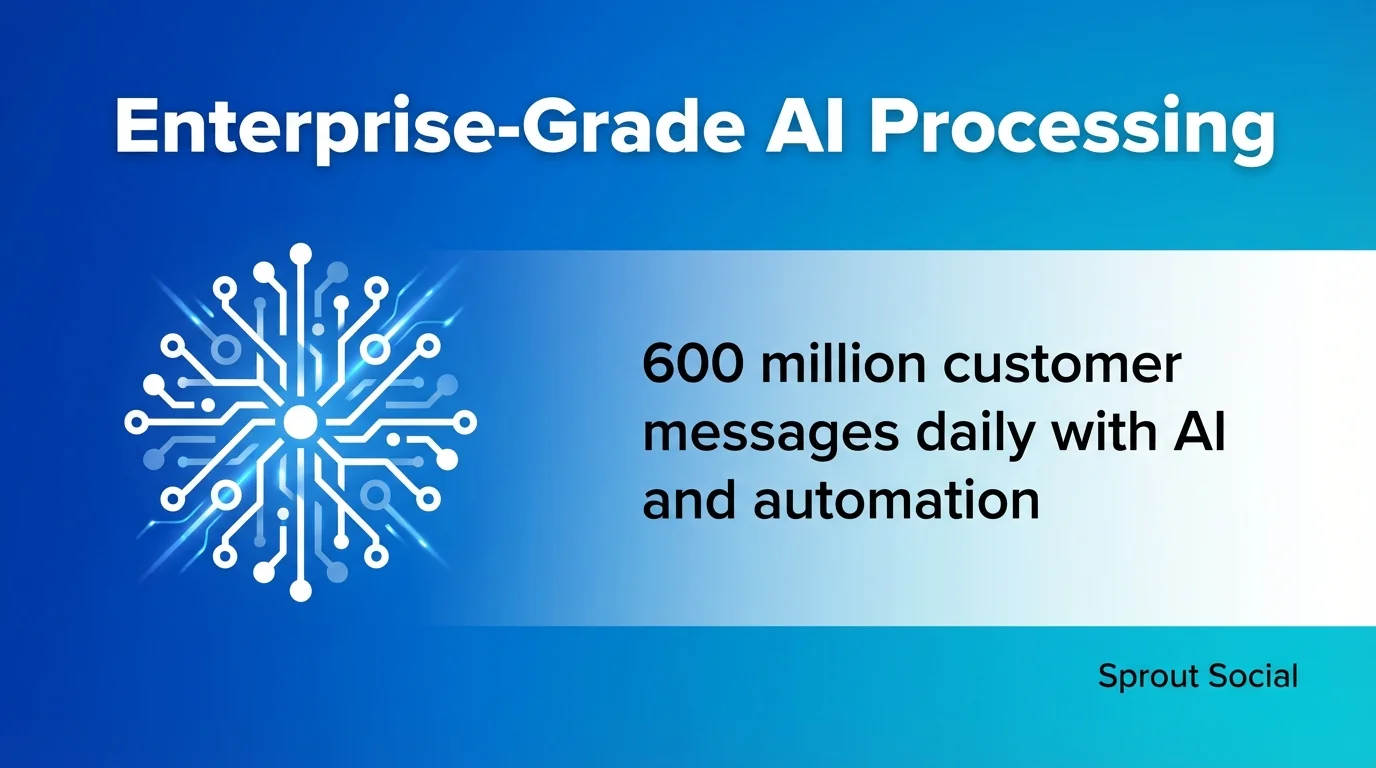
Sprout Social leads the pack for comprehensive social media management. It processes an average of 600 million customer messages daily with AI and automation, demonstrating enterprise-grade capabilities that scale beautifully for growing teams.
This platform excels at combining scheduling with deep analytics. The visual content calendar makes planning intuitive whilst the publishing tools handle Facebook, Instagram, Twitter, LinkedIn, TikTok, and Pinterest seamlessly.
Key Features
- Advanced content calendar with drag-and-drop scheduling
- Unified social inbox for managing engagement across platforms
- Comprehensive analytics and custom reporting
- Team collaboration with approval workflows
- AI-powered listening and sentiment analysis
Pros and Cons
Pros: Enterprise-ready team features, exceptional analytics depth, robust social listening tools, reliable publishing across all major platforms, excellent customer support.
Cons: Premium pricing structure, steeper learning curve for new users, may offer more features than small businesses require.
Pricing
Sprout Social offers tiered plans starting from the Standard package through Professional and Advanced tiers. Free trial available for 30 days. Pricing scales with user count and feature access, making it suitable for mid-sized teams to large enterprises.
2. Later: Best for Visual Content and Creator-Focused Scheduling
Later built its reputation around visual planning for Instagram. The creator-friendly interface makes scheduling visual content feel natural rather than technical.
The grid-based preview shows exactly how your Instagram feed will appear. This visual-first approach extends to TikTok and Pinterest, making Later particularly strong for brands where aesthetics matter.
Key Features
- Visual content calendar with grid preview
- Instagram-first design with TikTok and Pinterest integration
- Media library for organising visual assets
- Best time to post recommendations
- User-generated content management
Pros and Cons
Pros: Intuitive visual planning, excellent for Instagram scheduling, affordable pricing tiers, easy media management, creator-friendly interface.
Cons: Limited analytics compared to enterprise tools, fewer features for Twitter and LinkedIn, basic team collaboration capabilities.
Pricing
Later provides a free plan with limited posts per social profile. Paid plans progress through Starter, Growth, and Advanced tiers. Free trial available for premium features. Monthly and annual billing options offered.
3. Buffer: Best All-in-One Tool for Solopreneurs
Buffer’s free tier supports solopreneurs remarkably well. The platform balances simplicity with capable scheduling features across major social media platforms.
The visual calendar and lightweight analytics provide exactly what solo marketers need without overwhelming complexity. Queue management makes consistent posting straightforward.
Key Features
- Clean, user-friendly scheduling interface
- Visual content calendar
- Basic analytics and engagement tracking
- Browser extension for easy content sharing
- Queue-based posting system
Pros and Cons
Pros: Generous free plan, simple learning curve, reliable posting, clean interface, affordable paid upgrades.
Cons: Limited advanced features, basic analytics, fewer team collaboration tools, no built-in image editor.
Pricing
Buffer offers a free plan for up to three social channels. Essentials, Team, and Agency plans available with increasing capabilities. Free trial provided for paid tiers. Monthly pricing scales with channel count and team size.
4. Hootsuite: Best for Large Teams and Agencies
Hootsuite handles agency-scale complexity better than most competitors. Managing multiple client accounts with different team members requires robust permission systems and approval workflows.
The platform supports Facebook, Instagram, Twitter, LinkedIn, TikTok, YouTube, and Pinterest. Dashboard customisation allows teams to focus on relevant metrics whilst filtering noise.
Key Features
- Multi-account management with workspace organisation
- Advanced team collaboration and approval flows
- Comprehensive analytics and reporting
- Social listening and monitoring
- Content library and asset management
Pros and Cons
Pros: Powerful agency features, extensive platform support, robust analytics, flexible team permissions, strong third-party integrations.
Cons: Premium pricing, complex interface for beginners, occasional publishing delays reported, customer support inconsistencies.
Pricing
Hootsuite provides Professional, Team, Business, and Enterprise plans. Free trial available for 30 days. Pricing based on user count and social profiles managed. Custom enterprise solutions negotiable for large organisations.
5. CoSchedule: Best Marketing Calendar Solution
CoSchedule’s calendar solutions integrate social scheduling with broader marketing campaigns. This holistic approach helps teams coordinate content across channels.
The marketing calendar visualises how social posts connect with blog content, email campaigns, and promotional activities. Campaign-focused teams benefit from this unified perspective.
Key Features
- Unified marketing calendar
- Social media scheduling across platforms
- WordPress integration
- Campaign planning and management
- Team workflow automation
Pros and Cons
Pros: Excellent for integrated marketing, strong WordPress compatibility, campaign visualisation, team coordination features, content organisation.
Cons: Higher cost for full features, learning curve for complete platform, social features less robust than dedicated tools.
Pricing
CoSchedule offers Marketing Calendar, Marketing Suite, and custom Enterprise options. Free trial available. Pricing varies based on features and team size. Annual plans provide cost savings.
6. Planable: Best for Real-Time Approval Workflows
Planable emphasises real-time approval workflows that streamline content review. Teams can collaborate directly on posts before scheduling, reducing revision cycles.
The approval system supports multiple stakeholders with clear visibility into content status. This transparency prevents bottlenecks that delay publishing.
Key Features
- Real-time collaboration on content
- Multi-level approval workflows
- Content preview in platform-specific formats
- Team comments and feedback system
- Version history and revision tracking
Pros and Cons
Pros: Streamlined approval process, excellent collaboration features, clean interface, accurate post previews, responsive customer support.
Cons: Limited analytics capabilities, fewer automation features, smaller integration ecosystem, primarily focused on approval rather than discovery.
Pricing
Planable provides Free, Basic, Pro, and Enterprise plans. Free trial available for paid tiers. Pricing scales with user count and workspace needs. Monthly and annual billing options offered.
7. Zoho Social: Best CRM Integration for Customer Engagement
Zoho Social provides analytics and CRM integration that connects social engagement with customer relationships. This integration helps sales teams track social interactions alongside traditional touchpoints.
The platform fits naturally within the broader Zoho ecosystem. Businesses already using Zoho CRM benefit from seamless data flow between systems.
Key Features
- CRM integration with customer data
- Advanced analytics and reporting
- Social listening and monitoring
- Team collaboration tools
- Multi-account management
Pros and Cons
Pros: Strong CRM connectivity, comprehensive analytics, affordable pricing, good platform coverage, reliable scheduling.
Cons: Best suited for Zoho ecosystem users, interface less modern than competitors, learning curve for full features.
Pricing
Zoho Social offers Standard, Professional, and Premium plans. Free trial available for 15 days. Pricing based on brand count and feature access. Discounts for annual commitments.
8. SocialBee: Best AI-Powered Content Generation
SocialBee uses AI for content generation that speeds up caption writing and post creation. The AI writer suggests relevant content based on your topic and audience.
Category-based scheduling helps maintain content variety. You can define posting patterns that automatically rotate through different content types.
Key Features
- AI content generation and caption writing
- Category-based post scheduling
- Content recycling and evergreen posts
- Visual content editor
- Analytics and performance tracking
Pros and Cons
Pros: Powerful AI features, flexible category system, content recycling capabilities, good value pricing, helpful content variations.
Cons: AI suggestions require editing, interface can feel cluttered, limited platform coverage compared to leaders.
Pricing
SocialBee provides Bootstrap, Accelerate, and Pro plans. Free trial available for 14 days. Pricing based on social profiles and workspace count. Monthly and annual billing options.
9. Sked Social: Best for Meta Platforms with TikTok Integration
Sked Social focuses on Meta platforms (Facebook and Instagram) whilst offering TikTok and Pinterest integration. The AI-powered scheduling suggests optimal posting times based on audience activity.
Auto-posting to Instagram works reliably, including Stories and Reels. This automation removes manual publishing steps that slow content workflows.
Key Features
- AI-powered scheduling recommendations
- Instagram auto-posting including Stories
- TikTok and Pinterest support
- User-generated content management
- Team collaboration features
Pros and Cons
Pros: Strong Instagram capabilities, reliable auto-posting, AI scheduling features, good TikTok support, responsive customer service.
Cons: Limited Twitter and LinkedIn features, smaller platform compared to enterprise tools, analytics could be deeper.
Pricing
Sked Social offers Fundamentals, Essentials, and Professional plans. Free trial available for 7 days. Pricing scales with social account count and user access. Annual plans provide savings.
10. Pallyy: Best Grid-Based Visual Planning
Pallyy offers grid-based visual planning that makes Instagram feed aesthetics easy to manage. The visual calendar shows exactly how your grid will appear to followers.
Planning tools extend to TikTok and other platforms whilst maintaining the visual-first approach. This consistency benefits brands prioritising aesthetic coherence.
Key Features
- Grid preview for Instagram planning
- Visual content calendar
- Media library organisation
- Basic analytics tracking
- Multi-platform scheduling
Pros and Cons
Pros: Excellent visual planning, affordable pricing, intuitive interface, good Instagram features, clean design.
Cons: Limited advanced features, basic analytics, fewer integrations, smaller team collaboration tools.
Pricing
Pallyy provides Premium and Agency plans with straightforward pricing. Free trial available for 14 days. Pricing based on social account count. Monthly and annual billing options offered.
11. Vista Social: Best Scalable Scheduling Solution
Vista Social delivers scalable scheduling that grows with your team. The platform handles increasing account counts and user numbers without performance degradation.
Multi-workspace features help agencies separate client accounts whilst maintaining unified billing. This structure simplifies agency operations as client rosters expand.
Key Features
- Scalable multi-account management
- Team collaboration and permissions
- Content calendar with scheduling
- Analytics and reporting
- Social inbox management
Pros and Cons
Pros: Good scalability, reasonable pricing, solid platform coverage, team features, growing integration library.
Cons: Newer platform with evolving features, smaller user community, less established track record than competitors.
Pricing
Vista Social offers Pro, Business, and Agency plans. Free trial available for 14 days. Pricing scales with social profiles and team size. Annual plans reduce monthly costs.
12. Tailwind: Best for Pinterest and Instagram Visual Content
Tailwind specialises in Pinterest and Instagram scheduling with tools designed specifically for visual platforms. The SmartSchedule feature identifies optimal posting times automatically.
Pinterest marketers particularly benefit from Tailwind’s deep platform integration. Board scheduling and pin optimisation features reflect genuine Pinterest expertise.
Key Features
- Pinterest-focused scheduling and optimisation
- Instagram grid planning
- SmartSchedule for optimal timing
- Hashtag suggestions and management
- Visual analytics and insights
Pros and Cons
Pros: Exceptional Pinterest features, strong Instagram support, smart scheduling AI, helpful hashtag tools, visual analytics.
Cons: Limited support for other platforms, pricing adds up for multiple features, learning curve for full capabilities.
Pricing
Tailwind provides Pro and Advanced plans with platform-specific options. Free trial available. Pricing based on platforms used and feature access. Annual commitments offer discounts.
13. Agorapulse: Best Social Inbox and Engagement Tools
Agorapulse combines scheduling with powerful social inbox management. The unified inbox aggregates comments, messages, and mentions across Facebook, Instagram, Twitter, LinkedIn, and YouTube.
Engagement features help teams respond efficiently whilst tracking conversation history. This context prevents duplicate responses and maintains conversation continuity.
Key Features
- Unified social inbox for all platforms
- Advanced scheduling and content calendar
- Detailed analytics and custom reports
- Team collaboration and assignment
- Social listening and monitoring
Pros and Cons
Pros: Excellent inbox management, strong engagement tools, comprehensive analytics, good team features, reliable publishing.
Cons: Premium pricing structure, interface complexity for new users, occasional platform connectivity issues.
Pricing
Agorapulse offers Standard, Professional, and Advanced plans. Free trial available for 30 days. Pricing based on social profiles and user count. Annual plans provide significant savings.
14. MeetEdgar: Best for Content Recycling and Evergreen Posts
MeetEdgar excels at content recycling, automatically reposting evergreen content to maximise reach. This approach suits businesses with substantial libraries of timeless content.
Category-based queues ensure content variety whilst the recycling system prevents feeds from going dormant. This automation maintains presence without constant content creation.
Key Features
- Automatic content recycling
- Category-based scheduling queues
- Content library management
- Variations for repeated posts
- Auto-generated content from blog posts
Pros and Cons
Pros: Powerful recycling features, time-saving automation, good content organisation, helpful for evergreen content, consistent posting.
Cons: Limited analytics, fewer platform integrations, higher price for recycling focus, basic collaboration features.
Pricing
MeetEdgar provides Eddie and Edgar plans with different feature sets. Free trial available. Pricing based on social accounts and features. Monthly billing standard with annual discounts.
15. Sendible: Best White-Label Solution for Agencies
Sendible offers white-label capabilities that agencies can rebrand for client-facing dashboards. This customisation maintains brand consistency throughout client interactions.
Agency-focused features include client management, custom reporting, and scalable user permissions. The platform understands agency workflows and billing structures.
Key Features
- White-label customisation options
- Multi-client management system
- Custom branded reports
- Team collaboration and permissions
- Content calendar and scheduling
Pros and Cons
Pros: Strong white-label features, good agency tools, comprehensive platform support, scalable pricing, custom reporting.
Cons: Interface feels dated, learning curve for full features, customer support inconsistencies reported.
Pricing
Sendible offers Creator, Traction, Scale, and custom Expansion plans. Free trial available for 14 days. Pricing scales with service count and features. Annual plans reduce costs.
16. Loomly: Best Brand Success Platform with Calendar Focus
Loomly positions itself as a brand success platform with strong calendar functionality. Post ideas and optimisation tips help teams create better content before scheduling.
The workflow system guides posts through creation, review, approval, and publishing stages. This structure reduces errors and maintains quality standards.
Key Features
- Content calendar with workflow stages
- Post ideas and optimisation tips
- Approval workflows and collaboration
- Analytics and performance tracking
- Multi-platform scheduling
Pros and Cons
Pros: Helpful content suggestions, good workflow system, clean interface, solid platform coverage, responsive support.
Cons: Limited advanced features, basic analytics compared to enterprise tools, fewer automation options.
Pricing
Loomly provides Base, Standard, Advanced, and Premium plans. Free trial available for 15 days. Pricing based on social accounts and user count. Annual billing offers discounts.
17. Crowdfire: Best for Content Curation and Discovery
Crowdfire combines scheduling with content curation features that discover relevant articles and images. This discovery helps maintain consistent posting when original content runs short.
RSS feed integration automatically creates posts from blog content. This automation bridges blog publishing with social promotion seamlessly.
Key Features
- Content curation and discovery
- RSS feed automation
- Multi-platform scheduling
- Basic analytics tracking
- Image recommendations
Pros and Cons
Pros: Strong curation features, RSS automation, affordable pricing, content discovery, helpful for maintaining consistency.
Cons: Limited analytics depth, basic collaboration tools, fewer advanced features, interface could be more modern.
Pricing
Crowdfire offers Free, Plus, Premium, and VIP plans. Free plan includes basic features. Paid plans scale with account count and features. Monthly and annual billing available.
18. Iconosquare: Best Analytics-Focused Instagram and Facebook Tool
Iconosquare emphasises analytics for Instagram and Facebook with deeper insights than most scheduling tools. Competitor tracking helps brands understand their market position.
Scheduling features complement the analytics focus rather than dominating the platform. This approach suits data-driven marketers prioritising measurement over automation.
Key Features
- Advanced Instagram and Facebook analytics
- Competitor analysis and benchmarking
- Scheduling and calendar tools
- Hashtag tracking and suggestions
- Custom reporting and exports
Pros and Cons
Pros: Exceptional analytics depth, strong competitor insights, good Instagram features, detailed reporting, data export options.
Cons: Limited platform coverage, scheduling features less robust than dedicated tools, premium pricing for analytics focus.
Pricing
Iconosquare provides Pro and Advanced plans focused on analytics capabilities. Free trial available for 14 days. Pricing based on social profiles analysed. Annual plans offer savings.
Making Your Social Media Scheduling Tool Decision
Choosing amongst these 18 social media scheduling apps depends on your specific requirements. Small businesses managing limited accounts have different needs than agencies juggling dozens of clients.
Consider these priority factors when deciding.
| Priority Factor | Best Tool Options | Key Consideration |
|---|---|---|
| Budget Constraints | Buffer, Crowdfire, Pallyy | Free plans and affordable entry tiers |
| Agency Scalability | Hootsuite, Sendible, Vista Social | White-label and client management |
| Visual Content Focus | Later, Tailwind, Pallyy | Grid planning and aesthetic preview |
| Enterprise Features | Sprout Social, Hootsuite | Advanced analytics and team tools |
| Instagram Priority | Later, Iconosquare, Sked Social | Platform-specific optimisation |
Platform coverage matters significantly. Verify your chosen tool supports all social media platforms you actively manage. Facebook, Instagram, Twitter, and LinkedIn represent standard coverage, whilst TikTok support remains less universal.

Free trial periods let you test scheduling workflows before committing. Take advantage of these trials to evaluate interface usability and feature accessibility.
Essential Features Every Social Media Scheduling Tool Should Offer
Certain features distinguish capable scheduling tools from basic calendar systems. Content calendar visualisation should display scheduled posts clearly across dates and platforms.
Bulk scheduling capabilities save substantial time when planning campaigns. Uploading multiple posts simultaneously beats manual entry for efficiency.
Analytics integration helps measure what content performs well. Understanding engagement patterns informs future scheduling decisions and content strategy.
Team collaboration features become essential as organisations grow. Approval workflows prevent unauthorised posts whilst maintaining content quality standards.
Platform-Specific Considerations
Instagram scheduling requires specific technical capabilities. Auto-posting to Instagram feeds, Stories, and Reels eliminates manual publishing steps that interrupt workflows.
TikTok integration remains newer across scheduling platforms. Verify your chosen tool supports TikTok if this platform matters to your strategy.
LinkedIn publishing works differently than other platforms. Business page scheduling typically functions smoothly whilst personal profile limitations persist.
Integration and Workflow Requirements
Third-party integrations extend scheduling tool capabilities. Content calendar integration with design tools like Canva streamlines asset creation.
CRM connectivity benefits sales-focused organisations. Connecting social engagement with customer records provides valuable context for relationship management.
Browser extensions simplify content curation. Sharing relevant articles directly from your browser to scheduling queues maintains consistent posting with minimal friction.
Advanced Scheduling Strategies for Maximum Impact
Basic scheduling represents just the starting point. Advanced strategies multiply the value social media scheduling tools provide.
Optimal posting times vary by platform and audience. Most tools offer suggestions based on follower activity patterns, but testing your specific audience behaviour yields better results.
Content categorisation helps maintain variety. Rotating through promotional content, educational posts, and engagement-focused material prevents feed monotony.
Automation Without Losing Authenticity
Scheduled content shouldn’t feel robotic. Maintaining authentic voice whilst automating publishing requires thoughtful content planning.
Balance evergreen content with timely posts. Recycling valuable evergreen material maintains presence whilst fresh content keeps feeds current.
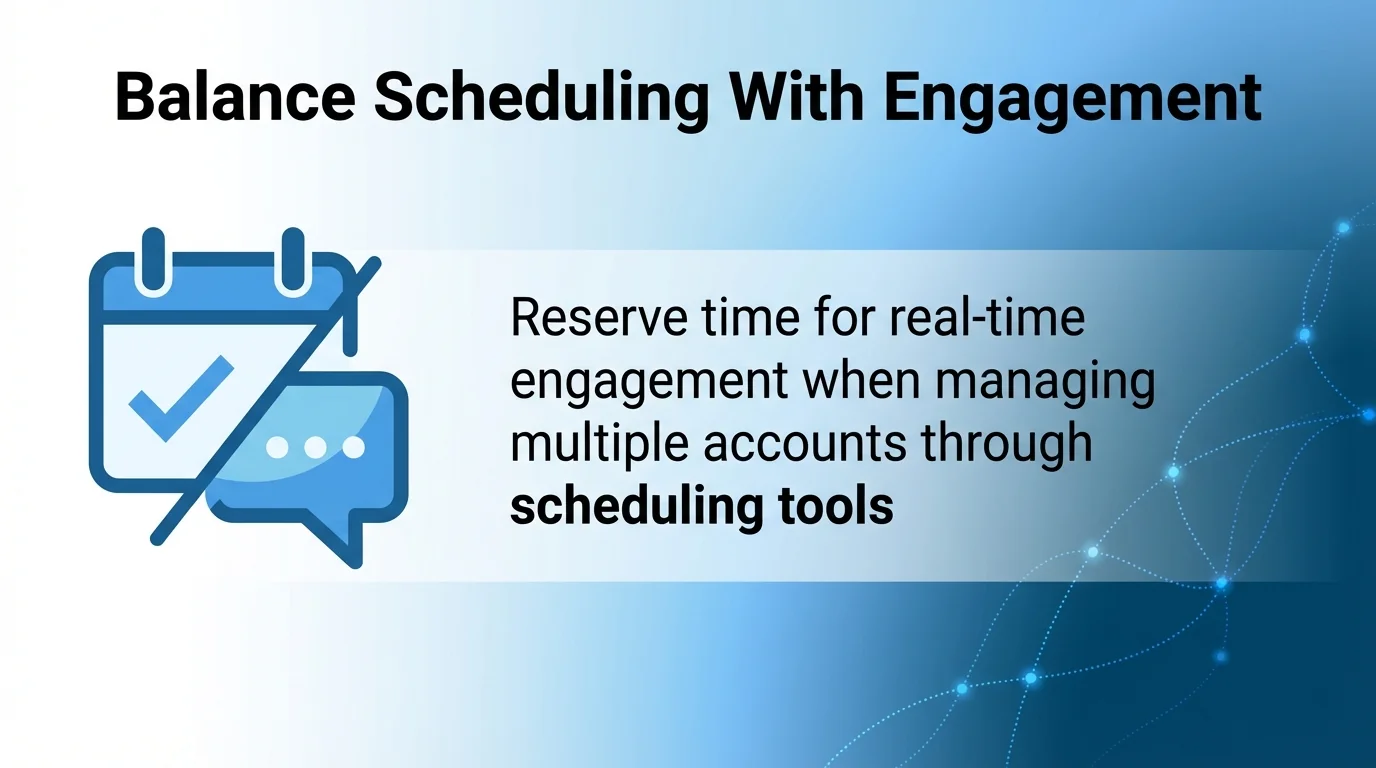
Reserve time for real-time engagement. Managing multiple accounts through scheduling tools doesn’t eliminate the need for genuine interaction.
Using AI Features Effectively
AI-powered caption generation speeds content creation but requires human oversight. Generated suggestions work best as starting points requiring personalisation.
Smart scheduling algorithms analyse follower behaviour to recommend posting times. These recommendations improve over time as the system learns your audience patterns.
Content suggestion features help overcome creative blocks. AI-generated topic ideas spark inspiration when planning future content calendars.
Measuring Success with Your Social Media Scheduling Tool
Effective scheduling tools provide analytics that measure content performance. Track engagement rates, reach, and follower growth to assess scheduling effectiveness.
Compare posting frequency with engagement patterns. More posts don’t automatically generate better results, quality and timing matter equally.
Platform-specific metrics reveal which social networks deserve more attention. Allocate scheduling efforts proportionally to platform performance.
Key Performance Indicators to Monitor
Engagement rate measures how actively audiences interact with scheduled content. Calculate engagement as total interactions divided by reach or impressions.
Click-through rates indicate whether posts successfully drive traffic to desired destinations. This metric matters particularly for promotional content.
Follower growth trends show whether content strategy attracts new audiences. Steady growth suggests effective posting frequency and content quality.
Adjusting Strategy Based on Data
Analytics inform scheduling adjustments rather than wholesale strategy changes. Small refinements typically prove more effective than dramatic pivots.
Test posting times systematically. Schedule similar content at different times to identify patterns in audience availability.

Content format performance varies by platform. Video might dominate on TikTok whilst static images perform better on Instagram for specific audiences.
Common Social Media Scheduling Mistakes to Avoid
Even capable scheduling tools can’t prevent strategic errors. Understanding common mistakes helps teams maximise scheduling effectiveness.
Over-scheduling creates feed fatigue. Posting too frequently overwhelms followers and reduces per-post engagement rates.
Ignoring time zones causes missed opportunities. Global audiences require scheduling consideration beyond your local timezone.
Content Quality Versus Quantity Balance
Scheduling tools enable high posting frequency, but quality shouldn’t suffer for quantity. Maintain content standards regardless of publishing volume.
Rushed content creation produces mediocre results. Plan content calendars sufficiently in advance to ensure quality asset preparation.
Repetitive content formats bore audiences quickly. Vary post types, topics, and formats to maintain follower interest.
Technical Scheduling Pitfalls
Platform algorithm changes affect scheduled content performance. Stay informed about updates that might impact posting strategies.
Broken links or image errors damage credibility. Review scheduled content before publishing to catch technical problems.
Timezone mistakes cause posts to publish at suboptimal times. Double-check timezone settings, especially when managing multiple regions.
Integration Strategies for Maximum Efficiency
Social media scheduling tools work best within broader marketing technology stacks. Strategic integrations multiply efficiency gains.
Content management system connections automate blog-to-social workflows. RSS feeds or direct integrations publish social promotions automatically when blog content goes live.
Design tool integrations streamline asset creation. Direct connections between platforms like Canva and scheduling tools eliminate file transfers.
Workflow Automation Opportunities
Zapier or similar automation platforms connect scheduling tools with other services. Create workflows that trigger social posts based on specific events.
Email marketing integration coordinates messaging across channels. Schedule social posts to complement email campaign timing for reinforced messaging.
Analytics platforms provide deeper insights than native scheduling tool reports. Export social data to business intelligence tools for comprehensive marketing analysis.
Team Collaboration Best Practices
Clear role definitions prevent workflow confusion. Assign team members specific responsibilities within scheduling tools to maintain accountability.
Approval workflows ensure content quality before publishing. Multi-level review catches errors whilst maintaining reasonable approval speeds.
Communication protocols keep teams aligned. Establish guidelines for discussing scheduled content, handling urgent posts, and coordinating across team members.
Future Trends in Social Media Scheduling Technology
Social media scheduling tools continue evolving rapidly. Understanding emerging trends helps organisations prepare for changing capabilities.
AI integration deepens beyond caption generation. Future tools will likely offer predictive analytics, automated A/B testing, and adaptive scheduling based on real-time engagement.
Cross-platform standardisation improves gradually. As platforms mature, scheduling tools gain better API access and more reliable publishing capabilities.
Emerging Platform Challenges
New social platforms require scheduling tool adaptation. TikTok integration took time to mature, future platforms will present similar challenges.
Platform policy changes affect scheduling capabilities. Instagram’s evolving API restrictions demonstrate how platform decisions impact third-party tools.
Video content dominance requires enhanced editing features. Scheduling tools increasingly incorporate video creation and editing capabilities.
Privacy and Data Considerations
Data protection regulations affect scheduling tool operations. GDPR and similar frameworks require careful handling of social media data.
Platform data access restrictions tighten periodically. Scheduling tools must adapt to changing API permissions and data availability.
User authentication requirements evolve constantly. Two-factor authentication and security protocols add complexity to tool connectivity.
Selecting Your Ideal Social Media Scheduling Tool
Your perfect scheduling tool matches your specific workflow requirements, budget constraints, and platform priorities. No single solution suits every organisation equally.
Start with clear requirements definition. List must-have features, preferred platforms, team size, and budget parameters before evaluating options.
Test multiple tools during free trial periods. Hands-on experience reveals interface preferences and workflow compatibility better than feature lists.
The 18 social media scheduling apps reviewed here represent proven solutions for different use cases. Enterprise teams benefit from Sprout Social’s comprehensive capabilities, visual content creators thrive with Later’s grid planning, agencies appreciate Sendible’s white-label features, and budget-conscious solopreneurs find Buffer’s free tier sufficient.
Your scheduling tool choice directly impacts content consistency, team efficiency, and audience engagement. Choose thoughtfully, test thoroughly, and adjust based on performance data. The right tool transforms social media management from reactive chaos into strategic execution.