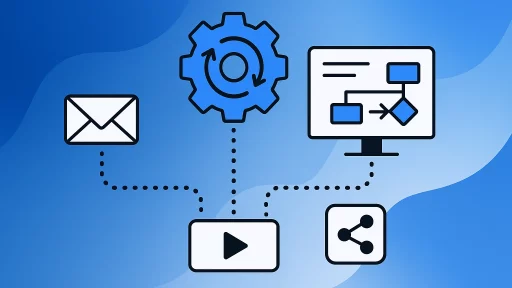
Advanced social media scheduling goes beyond basic post queuing. It combines sophisticated automation, AI-powered content optimisation, visual planning interfaces, and team collaboration features that transform how you manage multiple platforms. The best scheduling tools now offer capabilities like bulk importing, performance-based timing recommendations, unified inboxes for engagement, and approval workflows that streamline your entire content operation from creation to publication to analytics.
For marketing professionals managing multiple accounts or agencies juggling dozens of clients, these platforms have become essential infrastructure. The difference between basic and advanced scheduling lies in features that save hours weekly whilst improving content performance.
This comprehensive guide examines the leading social media scheduling tools available in 2026, analyses the features that separate good platforms from exceptional ones, and provides practical guidance for selecting the right solution for your specific needs.
What Makes Social Media Scheduling “Advanced” in 2026?
Advanced social media scheduling differs fundamentally from simple post queuing tools you might have used five years ago.
Modern platforms integrate multiple sophisticated capabilities. Visual content planning lets you preview how your Instagram grid will look before posts go live. AI-powered caption generators suggest hashtags and write post copy based on your brand voice. Bulk scheduling imports spreadsheets containing hundreds of posts simultaneously.
Cross-platform publishing represents another distinguishing feature. Rather than logging into separate dashboards for Instagram, Facebook, LinkedIn, TikTok, and Twitter, you schedule everything from one unified content calendar. Auto-publish functionality eliminates manual posting, with platforms automatically pushing content to your social media accounts at scheduled times.
Team collaboration tools enable approval workflows. Content creators draft posts, managers review them, and stakeholders approve final versions within the scheduling platform itself.
Analytics integration provides performance insights directly alongside your scheduling interface. You see which posts generated the most engagement and adjust your content strategy accordingly.
These capabilities distinguish truly advanced scheduling tools from basic alternatives. They transform social media management from a time-consuming daily task into a streamlined, strategic operation.
Why Businesses Need Advanced Scheduling Tools
Time savings represent the most immediate benefit. Batch creating content for an entire week or month in one sitting proves far more efficient than daily posting.
Consistency improves when you schedule content in advance. Your social media presence maintains regular activity even during holidays, busy periods, or when team members are unavailable.
Strategic timing becomes possible through scheduling. You can publish content when your audience is most active, even if those optimal times fall outside your working hours.
Multi-account management becomes feasible for agencies and brands with multiple presences. Rather than switching between different platforms and accounts constantly, you manage everything from one dashboard.
Content quality often improves with scheduling tools. The planning process encourages thoughtful content creation rather than rushed, last-minute posting. Visual planning features help you maintain aesthetic consistency across your feed.
These benefits compound over time. The hours saved weekly add up to days monthly. The consistency and strategic timing contribute to better engagement rates and audience growth.
Essential Features to Look For
Platform support determines which social networks you can manage through the tool. The best schedulers support Instagram, Facebook, LinkedIn, TikTok, Twitter, Pinterest, YouTube, and emerging platforms.
Auto-publish capability matters significantly. Some tools require manual approval for certain platforms due to API limitations. True auto-publish sends content automatically without requiring you to click “publish” on your phone.
Content calendar views should display your scheduled posts visually. Monthly grid views, weekly timelines, and list formats each serve different planning purposes. The ability to drag and drop posts between time slots speeds up schedule adjustments.
Media library functionality centralises your visual assets. Rather than searching your computer for images repeatedly, you upload content once and access it whenever needed.
Team collaboration features become essential for agencies and larger marketing teams. Look for user roles, approval workflows, and comment threads that keep everyone aligned.
Analytics and reporting show which content performs best. Basic metrics include reach, engagement, and clicks. Advanced platforms provide competitive benchmarking and custom report generation.
These features form the foundation of effective social media scheduling. Prioritise capabilities that align with your specific workflow and team structure.
Best Advanced Social Media Scheduling Tools for 2026
The scheduling tool market has matured significantly. These platforms lead the category based on feature sets, reliability, and user satisfaction.
Each tool serves different use cases. Some excel at visual planning for Instagram-heavy brands. Others prioritise analytics for data-driven marketers. Several specialise in agency workflows with client management features.
Understanding these distinctions helps you select the platform that matches your requirements rather than adopting whatever tool appears first in search results.
Top Tools Overview
Agorapulse stands out as a comprehensive social media management platform. Used by over 3,000 agencies, it combines scheduling with social media inbox and monitoring tools along with publishing features. The platform excels at client management and team collaboration.
Pallyy focuses on visual content planning. The workflow centres on uploading media to a library and planning visually via a calendar and grid. This approach particularly benefits Instagram-focused creators and brands prioritising aesthetic consistency.
Sprout Social and Hootsuite represent enterprise-grade options. These platforms rank amongst top social media analytics tools, providing deep reporting capabilities alongside scheduling. Hootsuite’s feature set spans content planning, content curation, analytics, engagement tools, and extensive third-party integrations.
Hopper HQ appeals to users seeking simplicity. The platform positions itself as a Sprout Social alternative with a simpler interface, making it accessible for smaller teams wanting advanced features without overwhelming complexity.
Metricool provides cross-platform scheduling with auto-publishing capabilities. The unified inbox consolidates social interactions across networks, enabling efficient community management alongside content scheduling.
Pricing Considerations
Budget significantly influences tool selection. Hootsuite is often described as one of the more expensive social media management tools, which may affect decisions for smaller businesses and solo creators.
Most platforms offer tiered pricing based on features, team size, and account limits. Free plans typically support one or two social accounts with basic scheduling. Mid-tier plans add team collaboration, analytics, and increased posting limits. Enterprise tiers provide white-labelling, priority support, and custom integrations.
Free trials let you test platforms before committing. Take advantage of trial periods to evaluate whether the interface matches your workflow and whether features justify the monthly cost.
| Tool Category | Best For | Key Strength |
|---|---|---|
| Agency-Focused | Marketing agencies managing multiple clients | Client management and team collaboration |
| Visual Planners | Instagram-heavy brands and creators | Grid preview and aesthetic planning |
| Analytics-Driven | Data-focused marketers and large teams | Comprehensive reporting and insights |
| Budget-Friendly | Small businesses and solo creators | Essential features at accessible pricing |
| All-In-One | Businesses wanting scheduling plus engagement | Unified inbox and community management |
Visual Planning and Content Calendar Features
Visual planning transforms how you approach social media scheduling. Rather than viewing posts as a list of text entries, you see your content as your audience will experience it.
Instagram grid preview proves particularly valuable. You arrange posts visually, ensuring colour palettes flow harmoniously and your feed maintains aesthetic cohesion. This prevents the jarring transitions that occur when you schedule posts individually without considering overall visual impact.
Calendar views offer different planning perspectives. Monthly calendars show content distribution across weeks, helping you identify gaps or overcrowded days. Weekly timelines display posting frequency and timing patterns. List views provide detailed information about each scheduled post.
Drag-and-drop functionality speeds up schedule adjustments. You can easily move posts between time slots, swap content order, or reorganise your entire week’s schedule in minutes.
Colour-coding and categories help you track content types. Tag posts as promotional, educational, or entertaining. Assign colours to different campaigns or clients. These organisational features become essential as your content volume grows.
The ability to duplicate posts streamlines content recycling. When evergreen content performs well, duplicate it and schedule it for future publication with minor adjustments.
These visual planning capabilities make the scheduling process more intuitive and strategic. You plan content as a cohesive campaign rather than isolated posts.
Cross-Platform Posting Capabilities
Managing multiple social media platforms separately consumes excessive time. Advanced scheduling tools consolidate this process.
True cross-platform scheduling lets you create one post and publish it to Instagram, Facebook, LinkedIn, TikTok, and Twitter simultaneously. The scheduler adapts formatting requirements for each platform automatically.
Platform-specific customisation remains important. Whilst you might share the same image across networks, you’ll want different captions. Instagram captions can include 30 hashtags. LinkedIn posts benefit from professional language. Twitter requires concise copy within character limits.
Auto-publish functionality varies by platform due to API restrictions. Instagram, Facebook, LinkedIn, and Twitter typically support full auto-publish. TikTok may require manual approval depending on your tool. Understanding these limitations prevents scheduling frustration.
Account switching becomes seamless with proper tools. Agencies managing dozens of client accounts need interfaces that make switching between profiles quick and intuitive. Look for tools that let you group accounts, search by client name, or filter views by brand.
Multi-profile posting proves useful for brands with regional accounts or multiple product lines. Schedule the same campaign to 10 different Facebook Pages simultaneously rather than recreating it manually for each profile.
These cross-platform capabilities reduce redundant work and ensure consistent messaging across your social media presence.
AI-Powered Content Creation Features
Artificial intelligence has transformed content creation within scheduling tools. These features accelerate the writing process whilst maintaining quality.
AI caption generators create post copy based on your input. Provide a topic or key points, and the AI drafts several caption options. You select the best version or edit it to match your brand voice.
Hashtag suggestions analyse your content and recommend relevant tags. Rather than researching trending hashtags manually, you receive platform-specific recommendations that increase discoverability.
Image generation tools create graphics directly within scheduling platforms. Some tools integrate with Canva or include built-in design features. Others use AI to generate images from text descriptions.
Content templates provide starting points for common post types. Templates for product announcements, customer testimonials, or behind-the-scenes content speed up creation for recurring post formats.
Optimal timing recommendations use AI to analyse when your audience engages most. The scheduler suggests posting times based on historical performance data rather than generic “best times to post” advice.
These AI features don’t replace human creativity. They eliminate tedious tasks and provide starting points that you refine with your expertise and brand knowledge.
Bulk Scheduling and Batch Posting
Bulk scheduling represents one of the most significant time-saving features in advanced scheduling tools.
CSV imports let you upload entire content calendars. Create a spreadsheet containing post copy, image URLs, scheduled times, and platform destinations. Upload it to your scheduler, and hundreds of posts populate your calendar instantly.
Batch editing enables changes across multiple posts simultaneously. Update hashtags across 20 posts at once. Shift an entire week’s schedule forward by two hours. These bulk operations prevent repetitive manual adjustments.
Content recycling features let you reshare evergreen posts automatically. Identify high-performing content and set it to republish every three months. The scheduler handles the reposting without requiring manual intervention.
Queue-based scheduling fills time slots automatically. Add posts to a queue and let the scheduler distribute them according to your predetermined posting frequency. This approach works well when you want consistent activity without micromanaging exact publication times.
Template-based scheduling speeds up recurring content. If you publish a weekly newsletter recap every Monday morning, create a template with the format, hashtags, and posting time. Fill in the variable content each week and schedule it in seconds.
These bulk capabilities make managing high-volume content calendars feasible. What might take hours manually becomes a 10-minute task.
Team Collaboration and Approval Workflows
Social media management rarely involves just one person. Larger teams and agencies need collaboration features built into their scheduling tools.
User roles control permissions appropriately. Content creators draft and schedule posts but cannot publish them. Managers review scheduled content and approve it for publication. Clients receive view-only access to see their content calendar without editing capabilities.
Approval workflows create structured review processes. A post moves from “draft” to “pending approval” to “approved” status. Managers receive notifications when posts need review. This system prevents unauthorised content from publishing whilst maintaining efficient workflows.
Comment threads enable discussion within the scheduling platform. Team members ask questions, suggest revisions, or approve content directly on each post. This consolidates communication rather than scattering feedback across email, Slack, and the scheduling tool.
Task assignments designate responsibility clearly. Assign specific posts to team members for creation or revision. Track who drafted each piece of content and who approved it.
Client collaboration features let external stakeholders review content without full platform access. Generate shareable links that clients use to review and approve their upcoming posts.
These collaboration tools reduce miscommunication and streamline team workflows. Everyone understands their responsibilities and can track content status efficiently.
Analytics and Performance Reporting
Scheduling content represents only half the social media management equation. Understanding performance guides future strategy.
Built-in analytics eliminate the need to check native platform insights separately. View engagement rates, reach, impressions, and clicks directly within your scheduling tool.
Performance comparison identifies top content. Sort posts by engagement rate to see which topics and formats resonate most with your audience. This data-driven approach improves content strategy over time.
Custom reports compile data for stakeholders. Create branded reports showing monthly performance metrics, growth trends, and campaign results. Schedule these reports to generate and send automatically.
Competitive benchmarking compares your performance against competitors or industry standards. Understanding how your engagement rates compare to similar accounts provides context for your results.
Post-level insights show granular performance data. Identify which posting times generate the most engagement. Determine whether video content outperforms static images for your audience.
Export capabilities let you analyse data in spreadsheets or business intelligence tools. Download CSV files containing all your social media metrics for custom analysis.
These analytics features close the loop between content creation and performance optimisation. Data guides decisions rather than guesswork.
Social Media Inbox and Engagement Management
Publishing content represents just one aspect of social media management. Responding to comments, messages, and mentions requires equal attention.
Unified inboxes consolidate interactions from multiple platforms. Rather than checking Instagram comments, Facebook messages, and Twitter mentions separately, you see everything in one stream.
Message filtering helps prioritise responses. Flag urgent messages, mark others as spam, or assign conversations to specific team members. These organisational features prevent important interactions from getting lost.
Saved replies speed up common responses. Create templates for frequently asked questions. When someone asks about your return policy, insert the saved reply rather than typing it repeatedly.
Assignment features designate which team member handles each conversation. Customer service representatives respond to product questions. Social media managers handle general enquiries. Clear assignments prevent duplicate responses or ignored messages.
Sentiment analysis identifies negative comments requiring immediate attention. Some platforms use AI to flag potentially problematic interactions, enabling quick response to complaints or criticism.
These engagement features ensure you don’t just broadcast content but actually manage your social media community effectively.
Choosing the Right Tool for Your Needs
Selecting a scheduling tool requires matching platform capabilities to your specific requirements.
Start by identifying your priorities. Do you need extensive analytics? Is visual planning essential? Does your team require collaboration features? Rank these factors by importance.
Consider your platform mix. If you focus heavily on Instagram and TikTok, prioritise tools excelling at visual content planning. If LinkedIn drives your business development, ensure the scheduler handles that platform well.
Evaluate your team size. Solo creators need different features than 10-person marketing departments. Agencies managing 50 client accounts require capabilities that small businesses don’t.
Test during free trials. Most platforms offer 14-day or 30-day trials. Actually use the tool during this period rather than just exploring features. Schedule real content and evaluate whether the workflow feels intuitive.
Check integration requirements. If you use specific design tools, CRM systems, or analytics platforms, verify that your scheduler integrates with them.
Review pricing tiers carefully. Understand what you get at each level and whether you’ll outgrow lower tiers quickly. Factor in annual discounts if you’re confident about long-term use.
Read recent user reviews. Software changes constantly. Reviews from the past year provide more relevant insights than older feedback.
This systematic evaluation process leads to better tool selection than choosing based on price alone or following generic “best tool” recommendations.
Implementation Best Practices
Adopting a new scheduling tool successfully requires thoughtful implementation.
Start with one platform before adding others. Master scheduling Instagram posts before expanding to manage five social networks simultaneously. This gradual approach reduces overwhelm.
Migrate your content calendar methodically. If you currently use spreadsheets, transfer one week of scheduled content initially. Verify everything works correctly before moving your entire calendar.
Train your team systematically. Create documentation showing how to draft posts, submit them for approval, and publish content. Record video walkthroughs for complex processes.
Establish workflows before you need them. Define who drafts content, who approves it, and what the timeline looks like. These processes prevent confusion as your content volume grows.
Build your media library proactively. Upload brand assets, product photos, and frequently used graphics. This upfront work saves time during daily scheduling.
Schedule in batches rather than daily. Set aside dedicated time each week for content creation and scheduling. This focused approach proves more efficient than scattered daily efforts.
Monitor performance regularly. Review analytics weekly or monthly to identify what’s working. Adjust your strategy based on data rather than assumptions.
These implementation practices help you realise the full value of advanced scheduling tools rather than underutilising expensive software.
Moving Forward with Advanced Scheduling
Advanced social media scheduling transforms how you manage your online presence. The combination of visual planning, AI assistance, bulk operations, team collaboration, and integrated analytics creates efficiencies impossible with manual posting.
For more guidance on building effective workflows, explore our detailed guide on building a social media scheduler workflow. If you’re managing content for clients, our resource on managing multiple clients’ social calendars provides specific strategies for agencies.
The right scheduling tool becomes infrastructure supporting your entire social media strategy. It enables consistency, strategic timing, and performance optimisation whilst reducing the time you spend on tactical execution.
Success with these platforms requires matching tool capabilities to your specific needs, implementing them systematically, and using data to refine your approach continuously. Start by identifying your highest-priority features and testing platforms during trial periods.
Your social media presence deserves the efficiency and strategic capabilities that advanced scheduling tools provide. The initial learning investment pays dividends through saved time, improved consistency, and better performance outcomes.