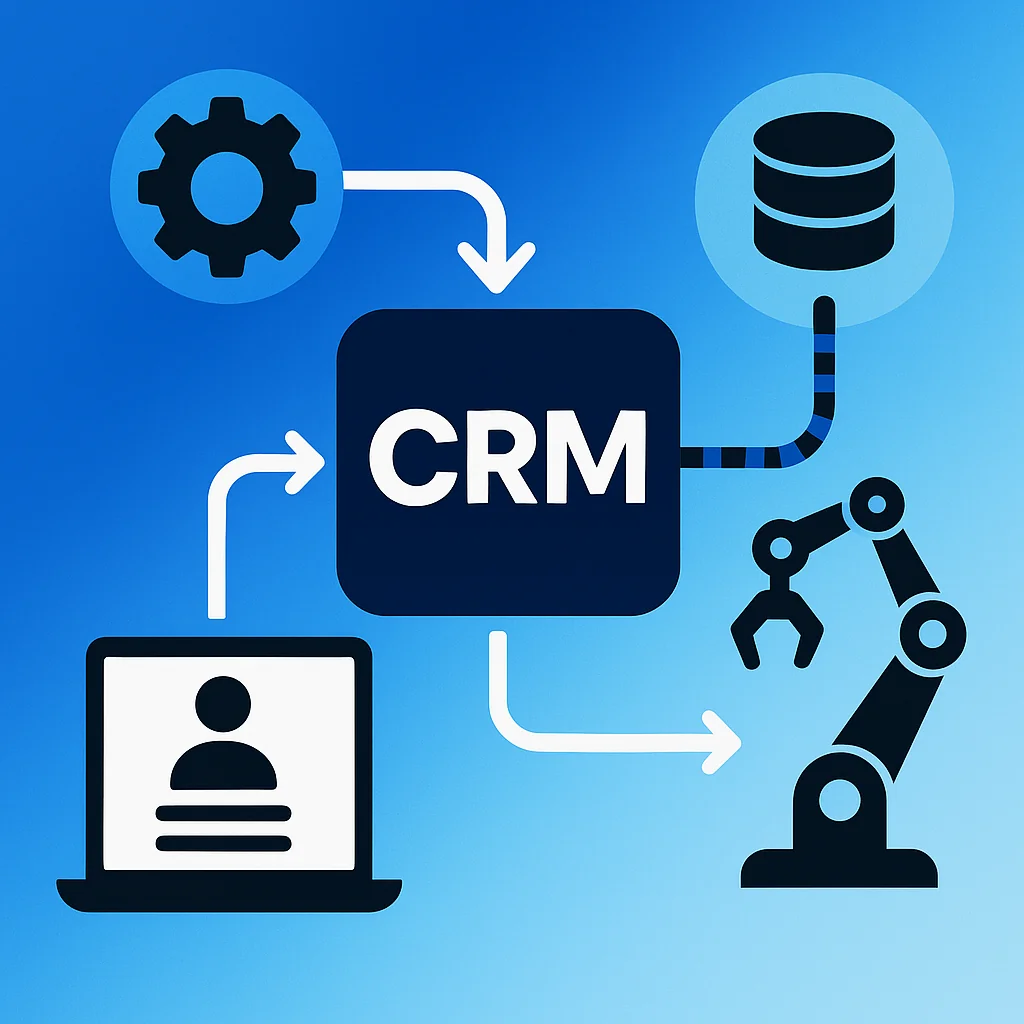
Social CRM represents the convergence of customer relationship management and social media platforms. It creates a unified system where conversations, interactions, and data from networks like Facebook, LinkedIn, Twitter, and Instagram flow directly into your CRM.
This integration transforms how businesses understand and engage with customers. Instead of treating social media as a separate marketing channel, social CRM connects every tweet, comment, and message to customer profiles.
The result? Context-rich interactions that drive meaningful engagement. Social CRM enhances agent productivity through context-based engagements and smarter outreach using captured visitor preferences and behaviours.
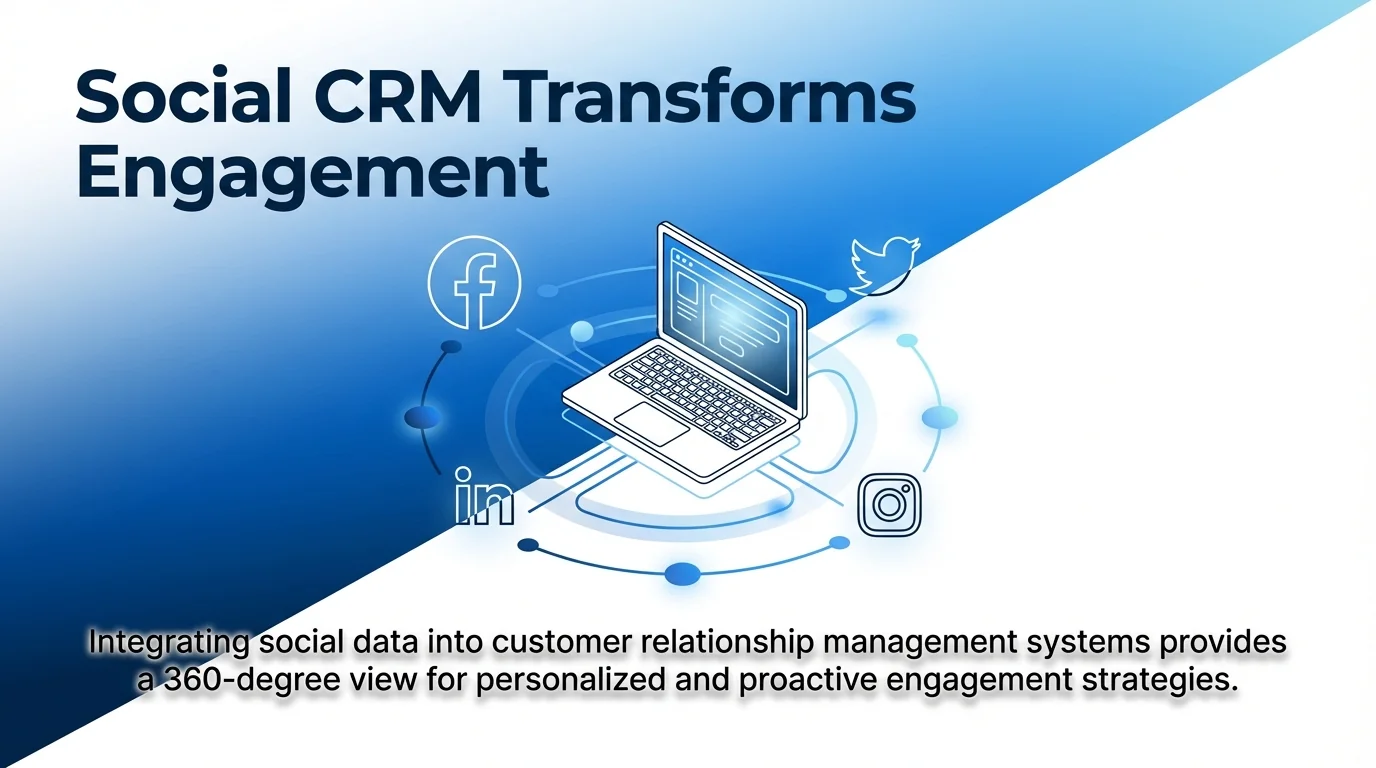
This guide covers everything you need to implement social CRM effectively. You’ll discover how to unify customer data, choose the right platforms to integrate, and overcome common implementation challenges.
By the end, you’ll have a clear roadmap for creating seamless customer experiences across every touchpoint. Let’s start with understanding what makes social CRM different from traditional approaches.
What Social CRM Means for Your Business
Traditional CRM systems focus on managing data from internal sources. Sales calls, email exchanges, support tickets, and purchase history all live within the CRM database.
Social CRM expands this foundation. It pulls in external conversations happening on social media platforms. When a customer mentions your brand on Twitter or comments on your Facebook post, that interaction automatically appears in their CRM profile.
How Social CRM Captures Customer Interactions
The integration works through API connections between your CRM and social media platforms. These connections enable automatic data synchronisation.
Every social interaction creates a data point. Comments, shares, likes, direct messages, and brand mentions all flow into the customer relationship management system. Your team sees the complete picture without switching between multiple platforms.
The system also tracks sentiment. Tools like Sprout Social optimise CRM by analysing social interactions for sentiment, enabling better service, competitive advantages, and multi-channel customer experiences.
The Data That Powers Social CRM
Social CRM captures several types of customer data. Profile information reveals demographics, interests, and professional details. Engagement metrics show how customers interact with your content.
Conversation history provides context for every interaction. When a customer contacts support, agents see previous social media conversations. This visibility eliminates repetitive questions and creates smoother experiences.
Social listening extends beyond direct mentions. The system monitors industry keywords, competitor references, and trending topics. This intelligence helps teams spot opportunities and address concerns proactively.
| Data Type | Business Value | Primary Use Cases |
|---|---|---|
| Social profile data | Rich customer context | Personalised outreach, audience segmentation |
| Engagement metrics | Content performance insights | Marketing campaign optimisation |
| Conversation history | Seamless support experiences | Context-aware customer service |
| Sentiment analysis | Brand health monitoring | Reputation management, product feedback |
| Social listening data | Market intelligence | Competitive analysis, trend identification |
This data becomes the foundation for smarter customer engagement. With complete visibility into social interactions, teams make informed decisions about communication strategies.
Why Traditional CRM Falls Short on Social Media
Traditional CRM systems excel at managing structured data. Contact information, purchase history, and sales pipeline stages all fit neatly into database fields.
But social media conversations don’t follow rigid structures. They’re spontaneous, public, and happen across multiple platforms. Traditional systems weren’t designed to capture this type of interaction.
The Channel Disconnect Problem
Most businesses treat social media as a separate function. Marketing manages social campaigns. Customer service handles support tickets. Sales works in the CRM.
This separation creates blind spots. When a customer complains on Twitter, the support agent handling their email ticket might not know. Sales teams miss valuable context from social media interactions.
Social CRM bridges these gaps. It creates a unified view where every team accesses the same customer data. Support agents see social conversations. Sales representatives understand social media engagement patterns.
Real-Time Response Limitations
Traditional CRM processes run on scheduled updates. Data synchronises overnight or at set intervals. This delay matters less for email or phone interactions.
Social media demands immediate responses. Customers expect replies within hours, not days. Delayed visibility into social conversations means missed opportunities.
Social CRM enables real-time monitoring. When someone mentions your brand, the notification appears instantly in your CRM. Teams can respond whilst the conversation is still relevant.
Learn more about maximising social media efficiency with automated solutions to handle increased interaction volume.
Missing Context in Customer Journeys
Traditional systems track formal touchpoints. Website visits, email opens, purchase transactions. These create a partial picture of customer behaviour.
Social media reveals motivations and preferences. The content customers share, accounts they follow, and topics they discuss all provide valuable context. Without social CRM integration, this intelligence remains invisible.
The gap between what customers say publicly and what they tell you directly often contains crucial insights. Social CRM captures both conversations, creating richer customer profiles.
Core Benefits of Social Media CRM Integration
Integrating social media with your CRM delivers measurable improvements across multiple business functions. The benefits extend beyond marketing to touch every customer-facing team.
Enhanced Customer Engagement Through Better Context
Context transforms customer interactions from transactional to meaningful. When your team knows a customer’s recent social media activity, conversations become more relevant.
A sales representative can reference a prospect’s LinkedIn post about industry challenges. Support agents can acknowledge a customer’s positive tweet about your product. These personalised touches strengthen relationships.
The engagement improvement comes from understanding customer interests and preferences. Social media data reveals what content resonates, which topics spark conversations, and when customers are most active.
This intelligence enables targeted communication. Instead of generic outreach, teams craft messages that align with customer interests. Response rates improve because interactions feel personal rather than automated.
Streamlined Workflows and Automation
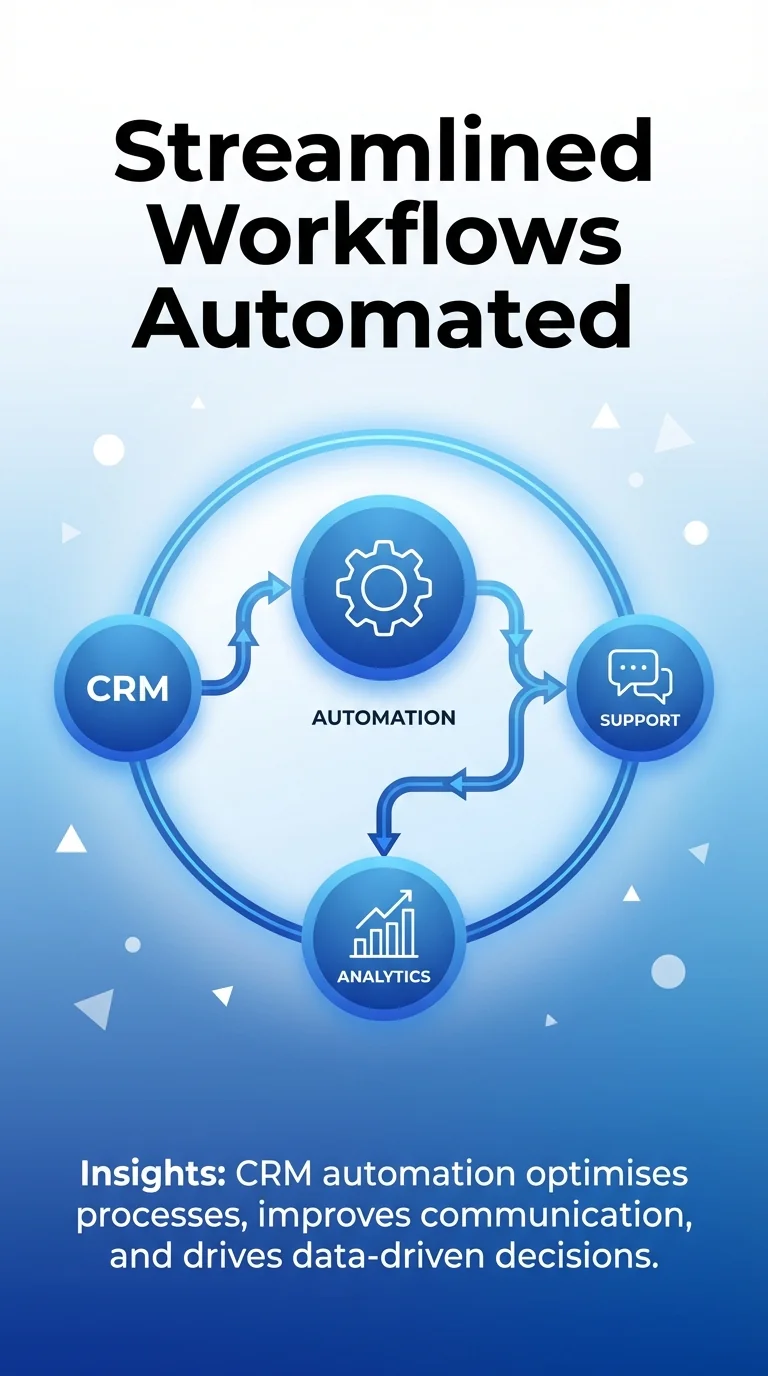
Manual processes consume valuable time. Copying social media interactions into CRM records, tracking mentions across platforms, and coordinating responses between teams all create inefficiencies.
Social CRM automation handles these tasks automatically. New social media followers become CRM contacts. Comments trigger workflow rules. Support requests from social channels create tickets without manual entry.
Teams save hours previously spent on data entry. This time shifts to higher-value activities like strategy development and customer relationship building.
For detailed guidance on selecting tools that support these workflows, explore choosing the right automation tool for your brand.
Improved Lead Generation and Qualification
Social media platforms contain millions of potential customers. Social CRM turns these platforms into lead generation engines.
The system identifies prospects based on social media activity. Someone researching your product category, engaging with competitor content, or asking industry questions becomes a qualified lead.
Lead scoring incorporates social media engagement. A prospect who shares your content, comments on posts, and follows your accounts shows higher intent than someone with no social presence.
Superior Customer Service Through Timely Responses
Speed matters in customer service. Social CRM reduces response times by centralising all customer communications. Support agents don’t need to check multiple platforms for new messages.
The system routes social media support requests to available agents. Priority rules ensure urgent issues get immediate attention. Automated responses acknowledge receipt whilst agents prepare detailed replies.
This efficiency improves customer satisfaction scores. Quick resolutions prevent negative experiences from escalating into public complaints.
| Benefit Category | Key Impact | Measurement Metric |
|---|---|---|
| Customer engagement | Personalised interactions at scale | Engagement rate, response quality |
| Operational efficiency | Reduced manual data entry | Time saved per interaction |
| Lead generation | Higher quality prospects | Lead conversion rate |
| Customer service | Faster response times | Average resolution time |
Using Social CRM Across Business Functions
Social CRM creates value for every department that interacts with customers. Each function leverages social media data differently to achieve specific objectives.
Marketing Campaigns With Social Intelligence
Marketing teams use social CRM to refine targeting and messaging. Audience segmentation becomes more precise when it includes social media behaviour.
Campaign performance tracking extends beyond clicks and conversions. Social sentiment reveals how audiences perceive your messaging. Engagement patterns show which content formats resonate.
The system tracks brand awareness through reach and share metrics. Marketing teams see which campaigns generate conversations and which fall flat.
Competitive intelligence from social listening informs campaign strategy. Understanding what works for competitors helps refine your own approach.
Sales Teams Leveraging Social Insights
Sales representatives gain powerful prospecting tools through social CRM. LinkedIn integration reveals job changes, company news, and professional interests.
These insights create conversation starters. A representative can reference a prospect’s recent promotion or congratulate them on a company milestone. This personalisation breaks through generic outreach.
Social media also provides buying signals. Prospects researching solutions, complaining about current vendors, or asking for recommendations all indicate readiness to buy.
The CRM tracks these signals automatically. Sales teams receive alerts when prospects show interest, enabling timely outreach at the optimal moment.
Customer Support in Public Forums
Support teams handle two types of social media interactions. Direct messages function like private tickets. Public comments require careful responses since others will see them.
Social CRM provides consistent experiences across both channels. The system connects public and private conversations to the same customer record.
When support moves from public to private channels, agents maintain full context. This continuity prevents customers from repeating information.
Public responses also serve as brand demonstrations. How you handle complaints publicly influences potential customers observing the interaction.
Product Development From Customer Feedback
Social media contains unfiltered product feedback. Customers share frustrations, suggest features, and discuss what they love.
Product teams use social CRM to analyse this feedback systematically. Sentiment analysis identifies common pain points. Trend tracking reveals emerging feature requests.
This input complements formal surveys and user testing. Social feedback often surfaces issues customers don’t mention in structured research.
The system categorises feedback by product, feature, or theme. Product managers can quickly assess what matters most to customers.
Choosing Social Media Platforms for CRM Integration
Not every social media platform deserves CRM integration. Focus on channels where your target audience is active and engaged.
Facebook Integration for Consumer Brands
Facebook remains the largest social network globally. For consumer-focused businesses, Facebook integration captures valuable customer interactions.
Facebook Business tools connect directly to major CRM platforms. The integration pulls in comments, messages, and post engagement.
Lead generation ads on Facebook can create CRM contacts automatically. When someone submits a lead form, their information flows directly into your customer relationship management system.
Facebook Groups provide community insights. Monitoring discussions reveals customer questions, concerns, and preferences.
LinkedIn for B2B Relationship Building
LinkedIn serves as the primary platform for professional networking. B2B companies prioritise LinkedIn integration for sales and marketing activities.
The platform provides rich professional data. Job titles, company information, skills, and professional interests all enhance customer profiles.
LinkedIn Sales Navigator integrates with most CRM systems. This connection enables account-based marketing and relationship mapping across organisations.
Tracking prospect engagement with LinkedIn content indicates interest levels. Shares, comments, and profile views all signal potential opportunities.
Twitter for Real-Time Brand Monitoring
Twitter excels at real-time conversations and brand monitoring. The platform’s public nature makes it ideal for social listening.
Twitter integration captures brand mentions, hashtag usage, and direct messages. These interactions provide immediate feedback on campaigns, products, and service experiences.
The platform’s fast-paced environment demands quick responses. Social CRM enables teams to identify and address mentions promptly.
Twitter also serves as an early warning system. Negative sentiment often appears here first, giving brands time to respond before issues escalate.
Instagram for Visual Brand Engagement
Instagram attracts younger demographics and visual-focused brands. Fashion, food, travel, and lifestyle businesses benefit most from Instagram integration.
The platform emphasises visual content over text. Integration captures engagement with images, videos, and stories.
Instagram Shopping features connect product discovery to purchase intent. Social CRM tracks which products generate interest and engagement.
Direct messages on Instagram often contain purchase questions and customer service requests. Integration ensures these don’t get lost in separate platforms.
Discover comprehensive overviews of different social media automation tools that integrate with various CRM platforms.
| Platform | Best For | Key Data Captured |
|---|---|---|
| Consumer brands, community building | Comments, messages, post engagement, group discussions | |
| B2B sales, professional networking | Profile data, content engagement, InMail conversations | |
| Real-time monitoring, customer service | Mentions, hashtags, direct messages, retweets | |
| Visual brands, younger demographics | Story views, post engagement, direct messages, shopping interactions |
Implementation Best Practices for Social CRM
Successful social CRM implementation requires careful planning. These best practices help avoid common pitfalls whilst maximising value.
Start With Clear Objectives
Define what success looks like before implementing social CRM. Different objectives require different integration approaches.
Customer service teams might prioritise response time reduction. Marketing teams may focus on lead generation. Sales teams could emphasise prospect intelligence.
Clear objectives guide platform selection, feature configuration, and success metrics. Without defined goals, teams struggle to measure ROI or optimise usage.
Document specific, measurable targets. “Improve customer satisfaction” is vague. “Reduce social media response time to under 2 hours” provides clarity.
Establish Data Governance Rules
Social CRM creates large volumes of customer data. Governance rules ensure this data remains organised and compliant.
Define which social interactions create CRM records. Not every like or follow needs documentation. Focus on meaningful interactions that indicate intent or require follow-up.
Establish data retention policies. Social media content ages quickly. Determine how long to maintain historical social interactions in your CRM.
Privacy regulations require careful handling of social media data. Ensure your integration complies with GDPR, CCPA, and other relevant legislation.
Train Teams on Unified Workflows
Social CRM changes how teams work. Comprehensive training ensures adoption and proper usage.
Support agents need guidance on handling public versus private social interactions. Sales representatives require instruction on leveraging social insights during outreach.
Create role-specific training that addresses each team’s use cases. Generic overviews don’t provide the practical knowledge needed for daily work.
Ongoing coaching reinforces best practices. Regular reviews of social CRM usage identify opportunities for improvement.
Configure Automation Thoughtfully
Automation enhances efficiency but requires careful configuration. Over-automation creates impersonal experiences.
Start with simple workflows. Automatically create contacts from new followers. Route support messages to the appropriate team.
Test automated responses thoroughly. Generic social media replies frustrate customers. Ensure automation includes appropriate context and personalisation.
Monitor automation performance regularly. Adjust rules based on customer feedback and team observations.
For platform comparison insights, review this cost comparison of automation platforms to find solutions that fit your budget.
Measure and Optimise Continuously
Track metrics that align with your initial objectives. Response times, engagement rates, lead conversion, and customer satisfaction all provide valuable feedback.
Review performance data monthly. Identify patterns in social media interactions. Which platforms generate the most valuable conversations? What times see peak engagement?
Use insights to refine your approach. Adjust platform priorities, workflow rules, and team assignments based on performance data.
Share results across teams. Success stories encourage adoption. Challenges identified early prevent larger problems.
Overcoming Common Social CRM Challenges
Every social CRM implementation faces obstacles. Anticipating these challenges helps teams develop effective solutions.
Managing High Interaction Volumes
Social media generates enormous interaction volumes. Every comment, mention, and message creates potential CRM activity.
Without filtering, teams drown in noise. The challenge is separating meaningful interactions from casual engagement.
Implement priority rules that flag important interactions. Customer complaints require immediate attention. Sales inquiries need prompt follow-up. Positive mentions may need simple acknowledgement.
Automated categorisation helps teams focus on high-priority items. Machine learning can identify sentiment, intent, and urgency.
Maintaining Data Quality and Accuracy
Social media data enters CRM systems automatically. This convenience creates data quality risks.
Duplicate records multiply when the same person connects through multiple social platforms. Profile information may conflict across channels.
Establish deduplication rules that merge records intelligently. Match customers across platforms using email addresses, phone numbers, or other unique identifiers.
Regular data audits identify and correct quality issues. Assign team members to review and clean social media data periodically.
Balancing Automation With Personalisation
Customers appreciate quick responses but dislike robotic interactions. Finding the right balance challenges most teams.
Use automation for acknowledgement and routing. Let humans handle substantive responses that require judgement or empathy.
Personalise automated messages with customer data. Reference their name, recent activity, or specific concerns mentioned in their message.
Test response templates with real customers. Gather feedback on whether automated replies feel helpful or impersonal.
Ensuring Cross-Team Coordination
Social CRM touches multiple departments. Without coordination, customers receive inconsistent experiences.
A prospect might engage with marketing on social media, then contact sales directly. If teams don’t share information, conversations repeat needlessly.
Create shared protocols for handoffs between teams. Define when marketing passes leads to sales. Establish how support escalates issues to product teams.
Regular cross-functional meetings keep teams aligned. Review challenging customer situations together to improve coordination.
Addressing Privacy and Security Concerns
Social media data includes personal information. Mishandling creates legal and reputational risks.
Implement security controls that restrict access to social media data. Not every team member needs to see all customer interactions.
Respect customer privacy preferences. If someone removes their social media profile, update your CRM accordingly.
Document your data handling practices. Transparency about how you use social media information builds trust.
Selecting the Right Social CRM Solution
Choosing a social CRM platform requires evaluating technical capabilities against business requirements. The right solution balances functionality, ease of use, and cost.
Integration Capabilities and Platform Support
Verify which social media platforms the CRM supports natively. Some solutions excel at certain networks but lack others.
Assess integration depth. Basic connections might pull in messages but miss engagement data. Comprehensive integrations capture likes, shares, comments, and profile information.
Check compatibility with your existing technology stack. The social CRM should connect seamlessly with marketing automation, analytics, and support tools.
API access matters for custom integrations. If you need connections beyond standard platforms, robust API documentation becomes essential.
User Interface and Team Adoption
Complex interfaces discourage adoption. Teams revert to familiar tools when new systems prove difficult.
Evaluate the user experience during trials. Can team members find customer information quickly? Do workflows feel intuitive?
Mobile access enables responses from anywhere. Social media demands flexibility, so mobile capabilities shouldn’t be an afterthought.
Customisation options help tailor the interface to team preferences. Different roles need different views and features.
Analytics and Reporting Features
Social CRM generates valuable data. Reporting features determine whether teams can actually use this intelligence.
Look for customisable dashboards that display relevant metrics. Support teams need response time data. Sales teams want lead source analysis.
Sentiment analysis capabilities reveal customer satisfaction trends. Advanced tools use natural language processing to categorise emotions and themes.
Export functionality allows deeper analysis in external tools. Integration with business intelligence platforms extends analytical capabilities.
Scalability and Performance Considerations
Social media activity fluctuates. Viral campaigns or crisis situations create sudden volume spikes.
Test how the system handles high interaction volumes. Does performance degrade when processing thousands of simultaneous messages?
Consider growth trajectory. Will the platform scale as your social media presence expands? What happens when you add new markets or product lines?
Storage limits matter for long-term data retention. Understand how pricing changes as you accumulate more customer interactions.
Cost Structure and Return on Investment
Social CRM pricing varies significantly. Some vendors charge per user. Others base pricing on contact volume or feature access.
Calculate total cost including implementation, training, and ongoing maintenance. Hidden costs often exceed initial licensing fees.
Compare against expected benefits. Improved response times, increased lead conversion, and reduced manual work all provide measurable value.
Start with essential features rather than comprehensive packages. You can expand capabilities as you prove ROI.
Find detailed tool recommendations in this guide to top tools every social media manager needs to know.
The Future of Social CRM and Customer Engagement
Social CRM continues to mature as technology advances and customer expectations shift. Several trends shape where social customer relationship management is heading.
Artificial Intelligence and Predictive Analytics
AI transforms social CRM from reactive to proactive. Machine learning algorithms identify patterns humans miss.
Predictive analytics forecast customer behaviour. The system might flag a customer at risk of churning based on declining social media engagement.
Sentiment analysis becomes more sophisticated. AI distinguishes between genuine complaints and casual comments, helping teams prioritise responses appropriately.
Chatbots handle routine social media inquiries automatically. This frees human agents for complex issues requiring empathy and judgement.
Learn about revolutionising social media management with AI-powered assistants for advanced automation capabilities.
Unified Customer Experience Platforms
Social CRM increasingly integrates with broader customer experience platforms. These unified systems connect social media, email, web, mobile apps, and physical locations.
Customers move seamlessly between channels. A conversation starting on social media continues via email without repetition. Support agents see every interaction regardless of channel.
This omnichannel approach eliminates silos. Marketing, sales, and support share the same customer view, creating consistent experiences.
Enhanced Privacy and Consent Management
Privacy regulations continue tightening globally. Future social CRM solutions prioritise consent management and data protection.
Customers gain more control over their data. Systems will need granular permission settings that respect individual preferences.
Transparent data practices become competitive advantages. Brands that clearly communicate how they use social media information build stronger trust.
Video and Emerging Media Formats
Social platforms emphasise video content increasingly. TikTok’s rise demonstrates the power of short-form video.
Social CRM must adapt to capture engagement with video content. Standard text analysis doesn’t work for visual media.
Future systems will analyse video comments, viewing patterns, and emotional responses. This requires new analytical capabilities beyond traditional social CRM.
Social CRM represents the next phase in customer relationship management. By connecting social media conversations to your CRM, you create richer customer profiles and more meaningful interactions.
The integration streamlines workflows whilst providing valuable intelligence. Marketing campaigns become more targeted. Sales outreach feels personal. Customer service responses arrive faster.
Success requires careful implementation. Choose platforms where your customers are active. Establish clear objectives and governance rules. Train teams thoroughly on new workflows.
Start with one or two social media platforms. Prove value before expanding. Measure results against your initial objectives. Adjust based on what you learn.
Social CRM isn’t a one-time project. It’s an ongoing commitment to understanding and engaging customers wherever they choose to connect. The businesses that master this approach build stronger relationships and create competitive advantages.
Your customers are already having conversations about your brand on social media. Social CRM ensures you’re part of those conversations. The question isn’t whether to integrate social media with your CRM, but how quickly you can make it happen.