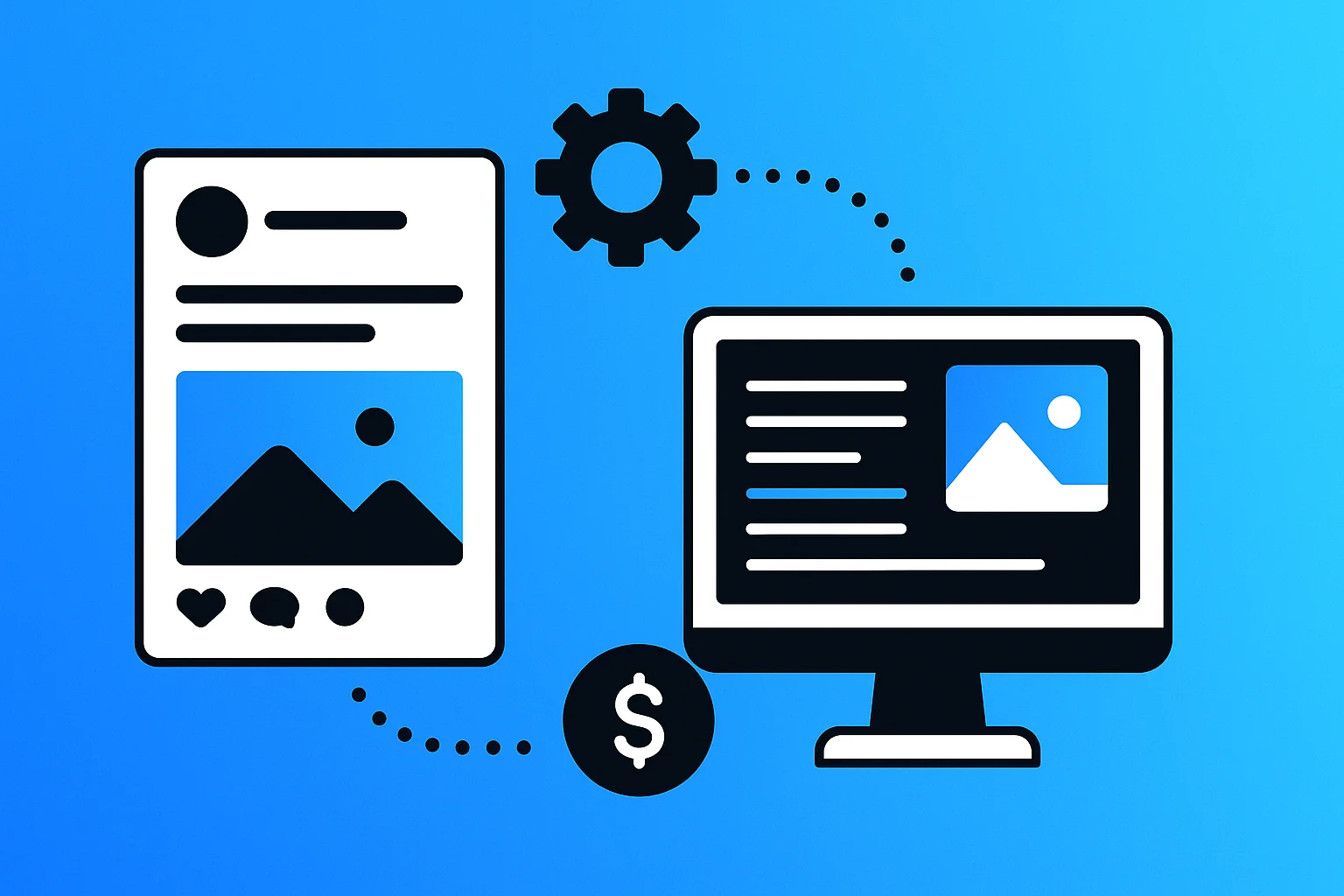
Social media automation for small businesses is the use of software tools to schedule, publish, and manage social media content across multiple platforms without manual posting each day. These automation tools enable SMBs to maintain consistent posting schedules, engage with audiences efficiently, and track performance analytics whilst freeing up time for core business activities.
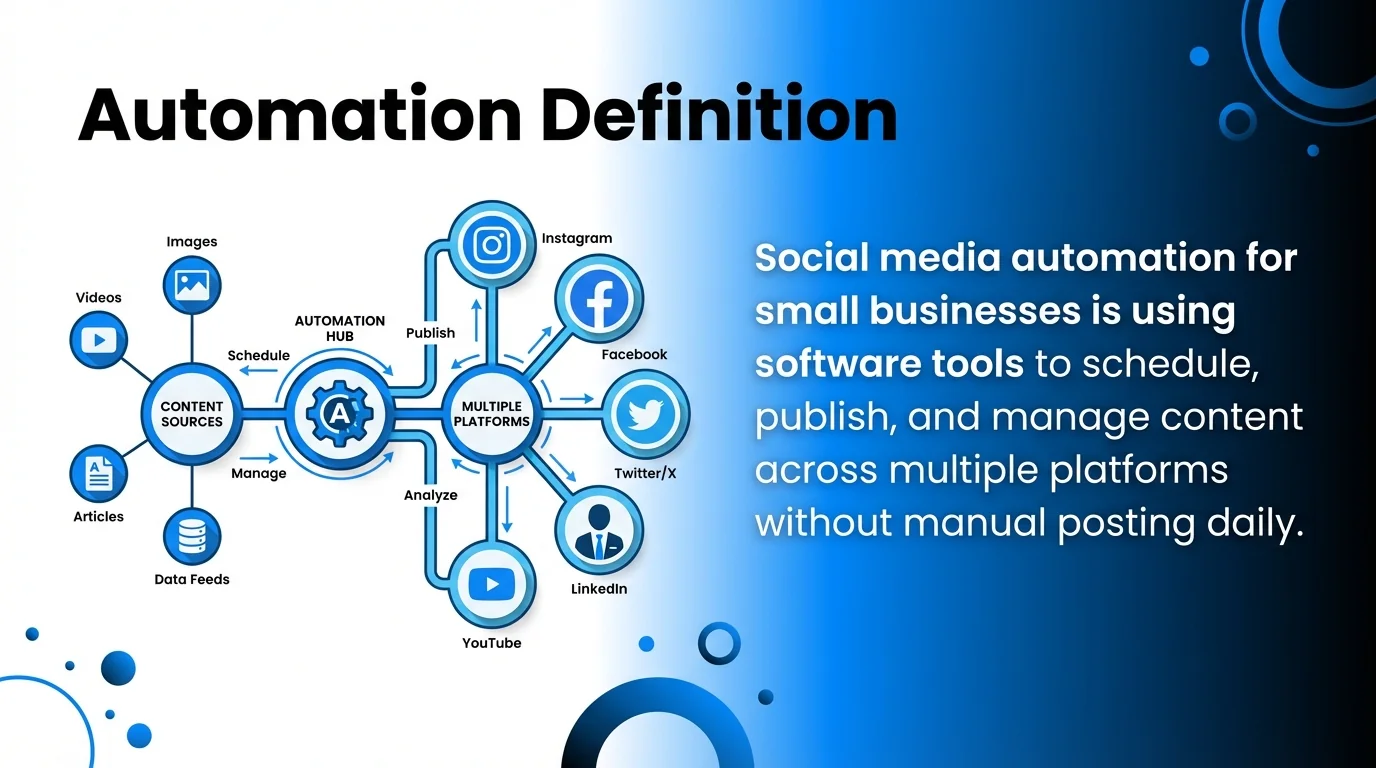
This approach transforms how resource-constrained businesses compete online. Instead of spending hours daily on social platforms, you can batch-create content once weekly and let automation handle the distribution.
The most effective social media automation combines three core capabilities: scheduling posts across platforms, managing engagement through unified inboxes, and tracking performance with analytics dashboards. Budget-conscious SMBs benefit most when these features come in affordable packages starting from free plans up to £50 monthly.
What is Social Media Automation for Small Businesses?
Social media automation refers to software that handles repetitive social media tasks automatically. For small businesses, this means tools that schedule posts, respond to messages, and generate reports without constant manual effort.
The technology works by connecting to your social media accounts through official platform APIs. You create content in advance, set publishing times, and the automation tool posts at scheduled intervals across Instagram, Facebook, LinkedIn, Twitter, and other channels.
Modern automation tools extend beyond simple scheduling. They incorporate AI assistants for caption generation, content calendars for planning, and social inbox features that consolidate messages from multiple platforms into one dashboard.
Small businesses face unique constraints that make automation essential. Limited staff, tight budgets, and competing priorities mean you cannot dedicate full-time resources to social media management.
Automation levels the playing field. You maintain the consistent online presence that audiences expect whilst focusing on product development, customer service, and revenue generation.
Benefits of Social Media Automation for Small Businesses
Time savings represent the primary advantage. Content creators and small business owners report reclaiming 5-10 hours weekly by batching content creation and using scheduling tools.
Consistency improves when automation handles posting. Your audience sees regular updates even during busy periods, holidays, or when you’re managing other business priorities.
Analytics and reporting become manageable. Instead of logging into five separate platforms to check performance metrics, automation tools aggregate data into unified dashboards.
Budget efficiency matters tremendously for SMBs. Many automation tools offer free plans for beginners, with paid tiers starting affordably. Buffer offers a free plan for beginners, with paid plans starting at $5/month for one channel when billed yearly.

Multi-platform management becomes feasible. You can maintain presence across Instagram, Facebook, LinkedIn, and Twitter without multiplying your workload by four.
Engagement quality often improves. Social inbox features let you respond promptly to comments and messages from a centralised location, building stronger audience relationships.
How to Choose the Right Social Media Automation Tool
Selecting appropriate automation tools requires evaluating your specific business needs against available features and pricing structures.
Assess Your Platform Requirements
Start by identifying which social media platforms matter most for your business. B2B companies typically prioritise LinkedIn, whilst retail brands focus on Instagram and Facebook.
Count how many accounts you need to manage. Are you handling one business profile per platform, or do you manage multiple locations or brands?
This assessment determines your budget needs. Some users report that Buffer’s per-channel pricing model becomes expensive quickly when managing multiple accounts or clients.

Evaluate Core Features
Scheduling and publishing form the foundation. Every tool should let you queue posts, set publishing times, and manage a content calendar efficiently.
Analytics capabilities vary significantly. Budget tiers typically offer basic metrics, whilst premium plans provide detailed reporting on engagement, reach, and audience demographics.
Social inbox functionality consolidates messages and comments. This feature saves substantial time for businesses that prioritise audience engagement.
AI-powered content creation tools generate captions, suggest hashtags, and even create images. These features help small teams produce more content without additional resources.
Consider Budget Constraints
Free plans work well for solopreneurs and very small businesses managing 1-2 accounts. These tiers typically limit posting volume and available features.
Entry-level paid plans (£5-20 monthly) suit most small businesses. They unlock additional accounts, advanced scheduling, and basic analytics.
Mid-tier plans (£20-50 monthly) support growing businesses with team collaboration needs, content approval workflows, and comprehensive reporting.
Agencies and larger operations require enterprise solutions. These cost significantly more but accommodate dozens of client accounts and advanced permissions.
Best Social Media Automation Tools for Small Businesses
The following tools represent the most effective automation solutions for budget-conscious SMBs. Each offers distinct advantages for different use cases.
#1 – Buffer – Best Overall for Small Businesses
Buffer stands out as the most accessible automation tool for small businesses starting their social media journey. The platform combines intuitive design with essential features at reasonable price points.
Key Features
The scheduling interface uses a visual content calendar. You drag posts to different time slots and see your entire week’s content at a glance.
Multi-platform publishing works seamlessly across Instagram, Facebook, LinkedIn, Twitter, Pinterest, and TikTok. You compose once and Buffer optimises formatting for each platform.
Analytics dashboards track engagement metrics, reach, and click-through rates. The reporting interface presents data clearly without overwhelming users with complex charts.
The queue system automates posting times. You add content to your queue and Buffer publishes at optimal times based on your audience activity patterns.
Pros and Cons
Advantages:
- Clean, beginner-friendly interface that requires minimal learning time
- Free plan available for testing features before committing financially
- Affordable entry-level pricing for small businesses
- Reliable performance with minimal technical issues
- Mobile apps enable content management from anywhere
Disadvantages:
- Per-channel pricing increases costs when managing multiple accounts
- Limited AI features compared to newer competitors
- Basic social inbox functionality in lower pricing tiers
- Advanced analytics require higher-tier subscriptions
Pricing Structure
Buffer operates on a per-channel pricing model. The free plan supports one channel with limited posting capacity.
Paid plans start affordably for single channels. As you add more social accounts, costs increase proportionally.
This structure works brilliantly for focused businesses. If you only need Instagram automation, you pay minimal fees.
However, agencies or businesses managing numerous accounts face scaling costs. The per-channel model becomes expensive with five or more accounts.
Who Should Use Buffer
Solopreneurs and content creators benefit most from Buffer’s simplicity. If you’re managing 1-3 social accounts and value straightforward tools, Buffer fits perfectly.
Small businesses testing social media automation should start here. The free plan lets you evaluate whether automation suits your workflow before investing.
Budget-conscious operations appreciate the transparent pricing. You know exactly what you’ll pay as you scale.
#2 – Hootsuite – Best for Multi-Platform Management
Hootsuite pioneered social media management and remains powerful for businesses managing diverse platform portfolios. The dashboard centralises all social activity into one interface.

Key Features
The streams interface displays multiple social feeds simultaneously. You monitor Instagram comments, Facebook messages, and Twitter mentions without switching between tabs.
Bulk scheduling saves time when planning campaigns. Upload spreadsheets with hundreds of posts and Hootsuite distributes them across your schedule.
Social listening tools track brand mentions and industry keywords. You discover conversations about your business even when people don’t tag you directly.
Team collaboration features support multiple users. Assign posts for approval, delegate responses to team members, and maintain consistent brand voice.
Pros and Cons
Advantages:
- Comprehensive platform coverage including niche networks
- Powerful monitoring capabilities for brand awareness
- Robust team collaboration and approval workflows
- Extensive third-party integrations with business tools
- Advanced analytics for data-driven decision making
Disadvantages:
- Steeper learning curve than simpler alternatives
- Higher pricing tiers required for full feature access
- Interface can feel cluttered for beginners
- Some users find the free plan too limited
Pricing Considerations
Hootsuite’s free plan supports limited accounts and posts. It’s useful for testing but insufficient for active businesses.
Professional plans accommodate small teams. The pricing sits higher than minimal alternatives but includes comprehensive features.
Team and business tiers support growing operations. These plans enable collaboration whilst maintaining budget consciousness compared to enterprise solutions.
Who Should Use Hootsuite
Small businesses with established social presence gain most value. If you’re already posting regularly and need better organisation, Hootsuite delivers.
Teams requiring collaboration features should consider Hootsuite. The approval workflows and user permissions prevent social media mishaps.
Businesses serious about social listening benefit from monitoring capabilities. Track competitors, industry trends, and brand sentiment from one dashboard.
#3 – Metricool – Best for Budget-Conscious Analytics
Metricool provides comprehensive analytics and reporting at price points lower than many competitors. Budget-focused businesses access professional-grade insights without enterprise costs.

Key Features
Analytics dashboards present performance data across all connected accounts. Compare engagement rates, identify top-performing content, and track follower growth trends.
The content calendar visualises scheduled posts alongside published content. You spot gaps in your posting schedule and maintain consistent presence.
Competitor analysis tools benchmark your performance against rivals. See how your engagement rates compare and identify content opportunities.
Automated reporting generates PDFs for stakeholders. Schedule weekly or monthly reports that arrive in inboxes without manual compilation.
Pros and Cons
Advantages:
- Affordable pricing for comprehensive analytics capabilities
- Clean reporting interfaces that non-technical users understand
- Competitor tracking at budget price points
- Automated report generation saves administrative time
- Regular feature updates and platform improvements
Disadvantages:
- Lesser-known brand compared to industry leaders
- Smaller community for troubleshooting and tips
- Some advanced features require learning investment
- Mobile app functionality trails desktop platform
Pricing Benefits
Metricool offers a free plan with surprisingly robust features. Many small businesses operate entirely on the free tier.
Paid plans unlock unlimited scheduling and advanced analytics. The pricing remains competitive with basic competitors whilst delivering more comprehensive features.
Annual billing discounts further reduce costs. Budget-conscious businesses save 20-30% by committing to yearly subscriptions.
Who Should Use Metricool
Data-driven small businesses benefit most. If you make decisions based on analytics rather than intuition, Metricool provides the insights you need affordably.
Agencies managing client accounts appreciate the reporting automation. Generate professional reports without hours of manual compilation.
Growing businesses transitioning from free tools find Metricool’s pricing sustainable. You access professional features without budget shock.
#4 – Later – Best for Visual Content Planning
Later specialises in visual content scheduling, particularly for Instagram. The drag-and-drop interface helps content creators and visual brands plan aesthetically cohesive feeds.

Key Features
The visual planner displays your Instagram grid before publishing. Arrange photos to create cohesive visual themes and colour stories.
Link-in-bio functionality creates shoppable landing pages. Your Instagram bio link directs followers to a page featuring all your posted content with actionable links.
Media library organises your content assets. Tag images, create collections, and find the perfect visual when scheduling posts.
Best time to post recommendations analyse your audience activity. Schedule posts when your followers are most active and likely to engage.
Pros and Cons
Advantages:
- Intuitive visual planning perfect for Instagram-focused businesses
- Generous free plan for testing platform fit
- Link-in-bio tool adds functionality Instagram lacks natively
- User-generated content features for community building
- Clean interface that prioritises visual content
Disadvantages:
- Less comprehensive for text-heavy platforms like LinkedIn
- Analytics capabilities trail dedicated analytics platforms
- Limited team collaboration features in budget tiers
- Primarily Instagram-focused with other platforms as secondary
Pricing Structure
Later’s free plan supports one social profile per platform. Small businesses with minimal accounts operate effectively on this tier.
Paid plans scale based on social sets. Each tier supports specific numbers of profiles across different platforms.
The pricing structure favours visual-first businesses. If Instagram drives your social strategy, Later delivers excellent value.
Who Should Use Later
Visual brands and content creators gain most value. Fashion boutiques, photographers, restaurants, and design businesses benefit from the visual planning interface.
Instagram-focused strategies align perfectly with Later’s strengths. If Instagram generates most of your social traffic and sales, invest in tools optimised for this platform.
Small businesses valuing aesthetics appreciate the grid preview. Maintain a cohesive visual brand without publishing mistakes.
#5 – Zoho Social – Best for Businesses Using Zoho Ecosystem
Zoho Social integrates seamlessly with Zoho’s business software suite. Small businesses already using Zoho CRM, Zoho Mail, or other Zoho products gain unified workflows.

Key Features
The publishing calendar supports all major platforms. Schedule posts, manage queues, and visualise your content distribution across channels.
Social listening monitors keywords and brand mentions. Discover conversations relevant to your business and engage promptly.
CRM integration connects social interactions with customer records. See social media activity alongside purchase history and support tickets.
Team collaboration features enable agencies and growing teams. Assign posts, approve content, and maintain quality control.
Pros and Cons
Advantages:
- Seamless integration with Zoho business suite
- Competitive pricing for comprehensive features
- Unified customer data across business systems
- Strong monitoring and listening capabilities
- Regular updates aligned with Zoho ecosystem
Disadvantages:
- Less valuable for businesses not using Zoho products
- Smaller user community than major competitors
- Learning curve for non-Zoho users
- Some features require multiple Zoho subscriptions
Pricing Value
Zoho Social offers competitive pricing independently. The value increases dramatically when bundled with other Zoho products.
Small businesses using Zoho CRM gain unified customer insights. Social interactions inform sales conversations and support responses.
The ecosystem approach reduces tool fragmentation. Managing business operations from one vendor simplifies training and reduces administrative overhead.
Who Should Use Zoho Social
Existing Zoho customers should strongly consider Zoho Social. The integration advantages outweigh learning alternative platforms.
Small businesses building comprehensive business systems benefit from ecosystem coherence. Choose Zoho Social as part of broader Zoho adoption.
Teams valuing unified customer data gain competitive advantages. See how social interactions influence sales outcomes and customer satisfaction.
#6 – SocialBee – Best for Content Recycling
SocialBee excels at evergreen content automation. The platform helps small businesses maximise content value by automatically recycling high-performing posts.

Key Features
Content categories organise posts by topic or theme. Create categories for tips, promotions, blog posts, and quotes, then SocialBee rotates content from each category.
Evergreen posting keeps your best content circulating. Instead of posts disappearing into archives, valuable content resurfaces automatically.
Posting schedules accommodate different cadences per platform. Instagram might receive three daily posts whilst LinkedIn gets one, all managed from unified settings.
Canva integration enables quick graphic creation. Design images within SocialBee’s interface without switching between multiple tools.
Pros and Cons
Advantages:
- Exceptional content recycling saves content creation time
- Category-based posting maintains topic variety automatically
- Workspaces support agencies managing multiple clients
- Built-in image editing reduces tool dependencies
- Excellent customer support reputation
Disadvantages:
- Steeper learning curve due to advanced features
- Higher pricing than minimal scheduling tools
- Can feel overwhelming for beginners
- Requires content strategy planning upfront
Pricing Investment
SocialBee positions as a premium budget tool. Pricing exceeds basic schedulers but remains affordable for small businesses.
The investment pays dividends through time savings. Content recycling means you create less new content whilst maintaining active presence.
Agencies benefit from workspace features. Manage multiple clients without separate subscriptions or account switching.
Who Should Use SocialBee
Content-rich businesses gain most value. If you’ve built substantial content libraries, recycling maximises your investment.
Small businesses with limited content creation capacity benefit from evergreen automation. Publish consistently without constant content creation pressure.
Agencies managing multiple clients appreciate workspace organisation. Keep client content separated whilst managing everything from one platform.
#7 – Sendible – Best for Agency Workflows
Sendible caters specifically to agencies and businesses managing multiple brands. The platform prioritises client management, reporting, and team collaboration.

Key Features
Client management organises accounts by brand or customer. Switch between client workspaces whilst maintaining separated content and settings.
White-label reporting generates branded documents. Agencies present reports featuring their own branding rather than Sendible’s.
Content approval workflows prevent publishing mistakes. Team members draft posts, managers approve content, and scheduling happens only after authorisation.
Priority inbox highlights urgent messages and mentions. Never miss important customer interactions buried in social feeds.
Pros and Cons
Advantages:
- Purpose-built for agency client management
- Comprehensive reporting with white-label options
- Robust team permissions and approval systems
- Priority inbox improves response times
- Integration with Google Business Profile
Disadvantages:
- Pricing exceeds single-business needs
- Feature complexity unnecessary for simple use cases
- Learning investment required for full utilisation
- Interface can feel busy compared to minimal tools
Pricing Structure
Sendible’s pricing reflects its agency positioning. Plans cost more than tools targeting individual businesses.
The value proposition centres on client management efficiency. Agencies handling 5+ clients recoup costs through time savings and professional reporting.
Trial periods allow evaluation before commitment. Test whether the agency-specific features justify the price difference.
Who Should Use Sendible
Marketing agencies managing client social media should prioritise Sendible. The workflow features directly address agency pain points.
Businesses with multiple brands benefit from client workspace organisation. Manage different product lines or locations without confusion.
Teams requiring strict content approval gain risk mitigation. Prevent social media mishaps through mandatory review processes.
#8 – Publer – Best Free Plan for Startups
Publer offers generous free tier features that support bootstrapped startups. Small businesses access professional automation capabilities without immediate financial commitment.

Key Features
The free plan supports multiple accounts across platforms. Unlike competitors limiting free users to single accounts, Publer enables multi-platform management.
Visual calendar displays scheduled content clearly. Drag posts between dates, adjust timing, and maintain overview of your publishing schedule.
Link shortening and tracking measures click-through rates. Understand which posts drive traffic without paying for separate analytics tools.
AI assist generates caption variations and hashtag suggestions. Small teams produce more content without proportional time investment.
Pros and Cons
Advantages:
- Exceptionally generous free plan for budget-constrained startups
- Clean, modern interface that’s intuitive immediately
- AI features included at all pricing tiers
- Regular feature additions and platform improvements
- Transparent pricing with clear tier differences
Disadvantages:
- Newer platform with smaller user community
- Limited third-party integrations compared to established tools
- Analytics capabilities trail specialised platforms
- Some users report occasional scheduling delays
Pricing Advantages
Publer’s free tier supports genuine business use. Many startups operate entirely on free plans whilst testing market fit.
Paid upgrades unlock unlimited scheduling and advanced features. The pricing remains highly competitive with similar tools.
Annual subscriptions offer significant discounts. Budget-conscious businesses reduce costs further through yearly commitment.
Who Should Use Publer
Bootstrapped startups benefit most from the generous free plan. Launch your social presence without adding tools to your burn rate.
Small businesses testing automation should start with Publer. The free tier provides genuine evaluation without credit card requirements.
Budget-conscious operations appreciate transparent pricing. Scale up features as revenue grows without unexpected cost increases.
Implementing Your Social Media Automation Strategy
Selecting tools represents only the first step. Effective implementation determines whether automation delivers promised benefits or creates new problems.
Start With Content Batching
Block dedicated time for content creation. Schedule 2-4 hours weekly to produce all social content in concentrated sessions.
Batching improves creativity and efficiency. You develop momentum when creating similar content consecutively rather than context-switching throughout the week.
Create content calendars outlining themes and topics. Plan promotional posts, educational content, and engagement posts in balanced proportions.
Use templates for consistent branding. Design Canva templates for different post types, then customise quickly during batching sessions.
Build Your Content Library
Organise assets systematically from the start. Create folders for images, videos, graphics, and copy organised by campaign or topic.
Tag content for easy retrieval. Add labels indicating platform suitability, content themes, and seasonal relevance.
Develop evergreen content specifically for recycling. Create posts about your products, services, and expertise that remain relevant indefinitely.
Document your best-performing content. Track which posts generate engagement and plan similar content for future scheduling.
Establish Engagement Protocols
Automation handles publishing, but engagement requires human attention. Schedule daily check-ins to respond to comments and messages.
Set notification preferences appropriately. Enable alerts for direct messages and mentions whilst avoiding notification overwhelm.
Create response templates for common questions. Prepare replies addressing frequent enquiries about products, services, and business details.
Monitor your social inbox at consistent times. Morning and evening check-ins ensure you respond promptly without constant interruptions.
Track What Matters
Identify key performance indicators for your business. Engagement rates, website traffic, and sales conversions matter more than vanity metrics.
Schedule weekly analytics reviews. Examine which content performs well and adjust your strategy based on evidence.
Compare platform performance. Determine which channels deliver best returns and consider focusing efforts accordingly.
Document learnings systematically. Maintain a simple spreadsheet tracking content types, engagement rates, and observations.
Common Automation Mistakes to Avoid
Small businesses frequently encounter predictable pitfalls when implementing automation. Awareness helps you avoid these common mistakes.
Over-Automation Reduces Authenticity
Scheduling every post eliminates spontaneity. Balance automated content with real-time posts responding to current events and trending topics.
Robotic posting patterns become obvious. Vary posting times slightly and occasionally skip scheduled slots to maintain human feel.
Generic content fails to engage. Ensure automated posts retain personality and brand voice rather than sounding like template text.
Neglecting Engagement Undermines Automation Benefits
Posting without responding alienates audiences. People expect businesses to acknowledge comments and answer questions.
Social media requires social interaction. Budget time for community management alongside content scheduling.
Automated responses often frustrate users. Save automation for publishing whilst keeping engagement genuinely human.
Ignoring Analytics Wastes Opportunities
Publishing without measurement prevents improvement. Regular analytics reviews reveal what works and what doesn’t.
Assumptions mislead strategy. Data often contradicts intuition about which content resonates with audiences.
Tracking vanity metrics misses business impact. Focus on metrics connecting to actual business outcomes like traffic and sales.
Platform Mismatches Reduce Effectiveness
Identical posts across platforms ignore audience differences. Adapt content for each platform’s culture and format preferences.
LinkedIn audiences expect professional content. Instagram favours visual storytelling. Twitter rewards concise observations.
Cross-posting everything signals laziness. Audiences notice when you don’t respect platform norms.
Maximising ROI From Your Automation Investment
Budget-conscious businesses need measurable returns from every expense. These strategies ensure automation tools deliver value exceeding their cost.
Calculate Your Time Savings
Track hours spent on social media before automation. Document time for content creation, posting, and engagement management.
Measure time spent after implementing automation. Calculate the difference and multiply by your hourly rate.
Most small businesses save 5-10 hours weekly. At £20 hourly value, that’s £400-800 monthly in recovered time.
Even modest automation plans costing £20-50 monthly deliver positive ROI through time savings alone.
Improve Content Quality Through Focus
Batching enables better content creation. You produce higher-quality posts when focused rather than rushed.
Time saved on scheduling can fund content improvement. Invest recovered hours in photography, graphic design, or copywriting.
Better content drives better engagement. Higher engagement increases reach without additional ad spending.
Scale Without Proportional Cost Increases
Automation enables platform expansion affordably. Add Instagram to your Facebook presence without doubling workload.
Test new channels with minimal risk. Schedule limited content on experimental platforms without major time commitment.
Growing businesses maintain social presence during expansion. Automation prevents social media neglect when focusing on growth initiatives.
Document and Refine Your Process
Create standard operating procedures for content creation. Document your batching process, template usage, and scheduling workflow.
Refine processes based on experience. Identify bottlenecks and streamline tasks consuming disproportionate time.
Processes enable delegation. When you’re ready to hire help, documented workflows accelerate training.
Moving Forward With Social Media Automation
Social media automation transforms how small businesses compete online. The tools covered here offer accessible entry points without requiring enterprise budgets.
Start with one platform rather than attempting everything simultaneously. Master automation on your primary channel before expanding to others.
Most tools offer free trials or generous free plans. Test several options to find the interface and features matching your workflow preferences.
Automation succeeds when combined with authentic engagement. Schedule content consistently, but engage with your audience genuinely and promptly.
Your social media presence compounds over time. Consistent posting through automation builds audience relationships that drive business growth sustainably.
The right automation tool already exists for your budget and needs. Choose one from this list, schedule your first week of content today, and reclaim hours for activities that grow your business.